
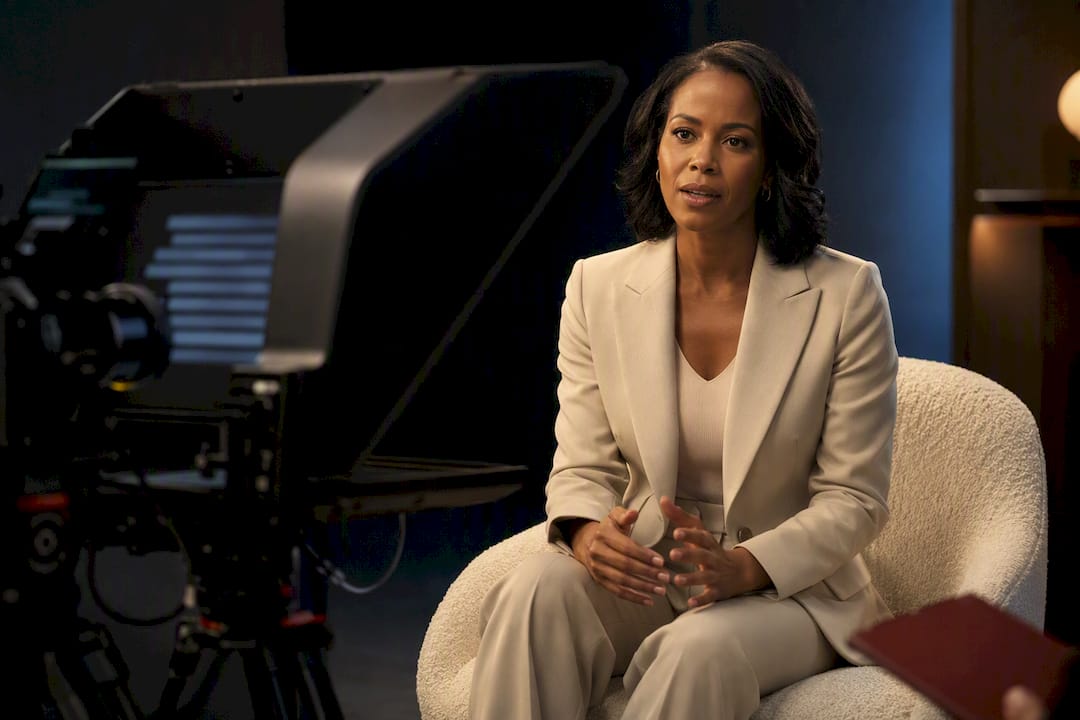
Use the teleprompter as a cue card, not a script: load 3 to 5 key messages and 2 to 3 bridge phrases, position the text within your eyeline, and rehearse at a conversational 125 to 150 words per minute using the glance-and-grab technique so you never look like you’re reading.
TL;DR:
- Keep the teleprompter within 15 degrees of the lens during remote interviews to maintain natural eye contact and avoid appearing evasive.
- Use 3 to 5 bolded key messages and 2 to 3 bridge phrases on the teleprompter, avoiding full sentences to preserve conversational delivery.
- Set the scroll speed between 125 and 150 words per minute and practice eye-glance techniques to prevent chasing the text and appearing stiff.
- Position the prompter rig directly over the lens and ensure prompts are phrased as short bullet points to avoid drift and improve naturalness.
- For high-stakes or multi-camera shoots, consider hiring a professional operator, as they adapt pacing in real time and manage setup for a seamless appearance.
Table of Contents
- Screen Placement and Rig Setup for Natural Eye Contact
- What Should Go on the Teleprompter Script?
- How Do You Practice Reading a Teleprompter Naturally?
- Which Scroll Mode and Setup Actually Works for Interviews?
- Fast Fixes When Something Looks Wrong on Set
- Handling Interruptions and Technical Glitches Mid-Interview
- Keeping Body Language Natural While You Read
- Adjusting for Live, Recorded, and Multi-Camera Interviews
- Ken Jones: A Quick On-Set Lesson in Prompter Placement
- How Ken Jones Photography Supports Interview Shoots
- Sources
- FAQ
Screen Placement and Rig Setup for Natural Eye Contact
I’ve watched grown executives turn into robots the second a prompter shows up. It’s almost always a placement problem, not a talent problem. If the glass or screen sits too far from the lens, the eyes drift, and viewers clock it in about two seconds.
For studio setups with a true beam-splitter rig, the text reflects directly over the lens, so eye movement stays nearly invisible even at close range. Phone or tablet rigs mounted below or beside the camera are more forgiving on budget but less forgiving on eye contact, because there’s real physical distance between the lens and the text.
For video calls and remote interviews, keep the script within about 15 degrees of the lens, which is the same eye-line rule broadcast teleprompter operators use on set. Beyond that angle, your gaze reads as “looking off to the side” instead of “looking at you.”
A few setup rules I give every client before a shoot:
- Camera height at true eye level, never propped low on a stack of books
- Font size no smaller than 36 points, larger if you’re more than three feet from the screen
- Narrow text columns so your eyes don’t have to travel far side to side
- Matte screen finish or a slight downward tilt to kill glare from overhead studio lights
Pro Tip: If you’re rigging this yourself at home, tape a small dot on your monitor bezel right where the lens sits. It trains your eyes to return to a fixed point instead of drifting across the whole screen.
For anyone shooting talking-head interviews on a budget camera, our talking head video setup guide walks through framing and distance in more detail, and it pairs well with the lighting adjustments covered in our interview lighting setup guide.
What Should Go on the Teleprompter Script?
Here’s the mistake I see constantly: people paste their entire prepared answer into the prompter, word for word, then read it like a hostage statement. A teleprompter for interviews should never carry your full response. It should hold the skeleton, not the whole body.
Teleprompter.com recommends keeping 3 to 5 bolded key messages and 2 to 3 bridge phrases on screen rather than full sentences. Bridge phrases are your safety net. When a question veers off track, a line like “What’s most important for our clients is…” pulls you back to your message without sounding rehearsed.
Write for the ear, not the eye. That means:
- Sentences under 15 words wherever possible
- Numbers spelled out (“twelve” instead of “12”) so you don’t stumble mid syllable
- Contractions left in (“we’re,” “it’s”) because that’s how people actually talk
- Slashes or line breaks marking natural pause points
Formatting matters just as much as wording. Use a sans-serif font between 36 and 60 points, 1.5 line spacing, and 8 to 10 words per line, based on the narrow-column, large-font approach most professional prompter operators default to. Bold or color your two or three must-hit phrases so they jump out mid-scroll.
A sample layout for a typical interview question might look like this:
KEY MESSAGE: Quality control matters more / than speed
BRIDGE: What clients really need is / consistency they can count on
KEY MESSAGE: That’s why every shoot / gets a second review pass
If you’re doing a two-person interview or podcast, only your own intros and transitions belong on the prompter. Guest questions stay as bare bullet prompts, which keeps the conversation from feeling stiff on either side of the mic. Readers who want help turning raw talking points into this kind of short, spoken format might also try a script generator tool built for conversational output rather than essay-style copy.
Pro Tip: Read your script out loud before it ever hits the prompter. If you stumble on a phrase while reading it cold, you’ll stumble twice as hard once the words are scrolling.
How Do You Practice Reading a Teleprompter Naturally?
I run every client through the same three-pass method before we roll real footage.
- Script pass. Read the prompts silently, adjust anything that trips your tongue, fix line breaks.
- Delivery pass. Say it out loud on camera, full volume, full energy, ignore mistakes.
- Review pass. Watch the playback muted. Audio hides a lot; silence exposes every darting eye and stiff jaw.
Reviewing without sound isn’t a gimmick. Watching a muted playback reveals micro-movements and eye drift that you’ll never catch with the audio distracting you.
Set your scroll speed baseline between 125 and 150 words per minute. Start near 150, run your first take, and slow down if you feel like you’re chasing the text. That “chasing” feeling is the single biggest tell of a rushed teleprompter read, and it’s almost always fixable with a five to ten word-per-minute drop.
The actual reading skill is called eye-lead, or glance-and-grab: read one line ahead of what you’re saying, glance down for three to five words, then bring your eyes back to the lens while you deliver them. It feels unnatural for about ten minutes of practice, then it becomes automatic.
Two more things worth building into rehearsal:
- Do two throwaway warm-up takes before anything you plan to keep. Cold reads always sound cold.
- Run a mock Q&A with a colleague who hasn’t seen your prompts. If your bridge phrases can survive an unpredictable question, they’ll survive the real interview.
Pro Tip: Try the “first-sentence ownership” trick: deliver your opening line entirely from memory, without glancing at the prompter at all. It anchors the whole answer in a natural tone before you ever touch the scroll.
Whether you’re running your own scroll with a clicker, a foot pedal, or handing control to an operator, the goal stays the same: the technology should disappear, and only your voice should be doing the visible work.
Which Scroll Mode and Setup Actually Works for Interviews?
Most consumer teleprompter apps offer three or four scroll modes, and picking the wrong one is why so many first-timers look uneasy on camera.
- Fixed speed scrolls at a constant WPM regardless of what you’re doing. Reliable, but merciless if you pause to think.
- Fixed time scrolls the whole script over a set duration. Good for tightly timed segments, bad for spontaneous answers.
- WPM-based modes let you dial in a target, typically that 125 to 150 range, and hold it steady.
- Voice-activated scroll (sometimes branded as VoiceGlide) follows your actual speech, pausing when you pause and catching back up when you resume, which can reduce the rushed, chased feeling fixed-speed modes create.
For unscripted interview answers, voice-activated scroll is usually the safer default. A human operator beats every app when the stakes are high, a live broadcast, a multi-camera shoot, an executive who’s never used a prompter before, because a person can react to a stumble in real time in a way software can’t.
On the hardware side: phone and tablet mounts should sit rock steady, not wobbling on a cheap clamp. For video calls, position your browser window directly under the webcam rather than off to one side. Keep a wired remote or clicker within reach as backup in case Bluetooth drops mid-interview.
Pro Tip: Always have a paper backup of your key messages taped just out of frame. Technology fails at the worst possible moment, and a glance at paper beats dead air.
Fast Fixes When Something Looks Wrong on Set
Some problems only show up once the camera’s rolling. Here’s the quick-diagnosis list I keep taped to my monitor.
- Sounds like you’re reading verbatim: your prompts are too long. Cut them to bullet phrases and run one more delivery pass before the next take.
- You look like you’re chasing the text: the scroll is outrunning your voice. Drop toward 125 WPM or switch to voice-activated scroll so the prompter follows you instead.
- Eyes are visibly darting side to side: move the screen closer to the lens, bump the font size, and narrow the line length so there’s less ground for your eyes to cover.
- Delivery sounds flat: you skipped the vocal warm-up. Mark emphasis points on key words, breathe between phrases, and record two short passes before the real one.
Most on-set teleprompter failures trace back to one of these four causes, and every one of them is fixable in under five minutes without reshooting the whole segment.
Handling Interruptions and Technical Glitches Mid-Interview
Prompters freeze. Wi-Fi drops. Someone’s phone buzzes on the table and knocks the whole rig sideways. It happens on professional sets with six figures of gear, so it will happen to you.
The fix starts before the interview, not during it. Always keep that paper backup of your 3 to 5 key messages somewhere just outside the frame. If the screen dies mid-answer, you glance down, find your place, and keep talking without the audience ever knowing anything went wrong.
If an interruption comes from the interviewer, a phone ringing, someone walking through the shot, don’t fight to stay in character. Pause, acknowledge it briefly if it’s live, and pick back up from your last bridge phrase rather than trying to find your exact spot in the script. Bridge phrases exist for exactly this moment. They let you reenter the conversation from any point without sounding lost.
For recorded interviews, technical hiccups are actually less stressful, because you can simply stop and reset. Tell your operator or yourself, “Let’s take that from the bridge phrase,” and pick up cleanly. Editors can cut around a restart far more easily than they can save a take where you visibly panicked and never recovered.
The habit that saves most of these moments is rehearsal, specifically the mock Q&A pass where a colleague throws unexpected questions at you. If you’ve already practiced recovering from surprise, a real glitch just feels like one more curveball instead of a crisis.
Keeping Body Language Natural While You Read
A stiff, glued-to-the-lens stare is the second most obvious prompter tell, right behind the flat monotone voice. Fixing it has less to do with the script and everything to do with what you do with your hands, shoulders, and face while you talk.
Let your head move slightly, the way it would in a normal conversation. Total stillness looks unnatural on camera; people nod, tilt, and shift weight when they talk, even in formal settings. If your rehearsal footage shows you locked rigid from the neck up, that’s a coaching note worth fixing before the real take, not after.
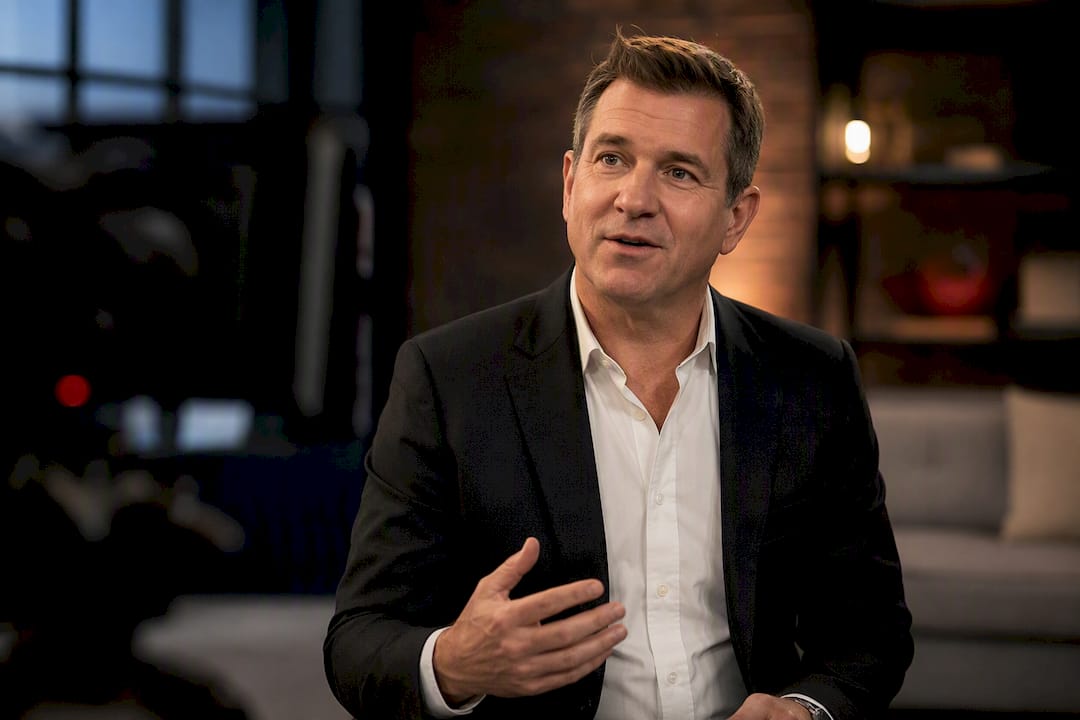
Hands matter too. If you’d normally gesture while explaining something, let yourself gesture on camera, just keep the movement below chest height so it doesn’t pull focus from your face. Our guide to looking comfortable in front of the camera covers a handful of small physical habits that read as confidence rather than stiffness on playback.
Facial expression is where the glance-and-grab technique earns its keep twice over. Because you’re only glancing down for three to five words at a time, your face stays mostly toward the lens, which means micro-expressions, the slight smile, the raised eyebrow, still register naturally. If your review pass shows a blank, mask-like face throughout, the prompter isn’t the problem. You’re likely holding your expression frozen out of concentration, and the fix is simply reminding yourself to breathe and let your face move between glances.
Adjusting for Live, Recorded, and Multi-Camera Interviews
Not every interview format calls for the same prompter approach, and treating them all identically is a common mistake.
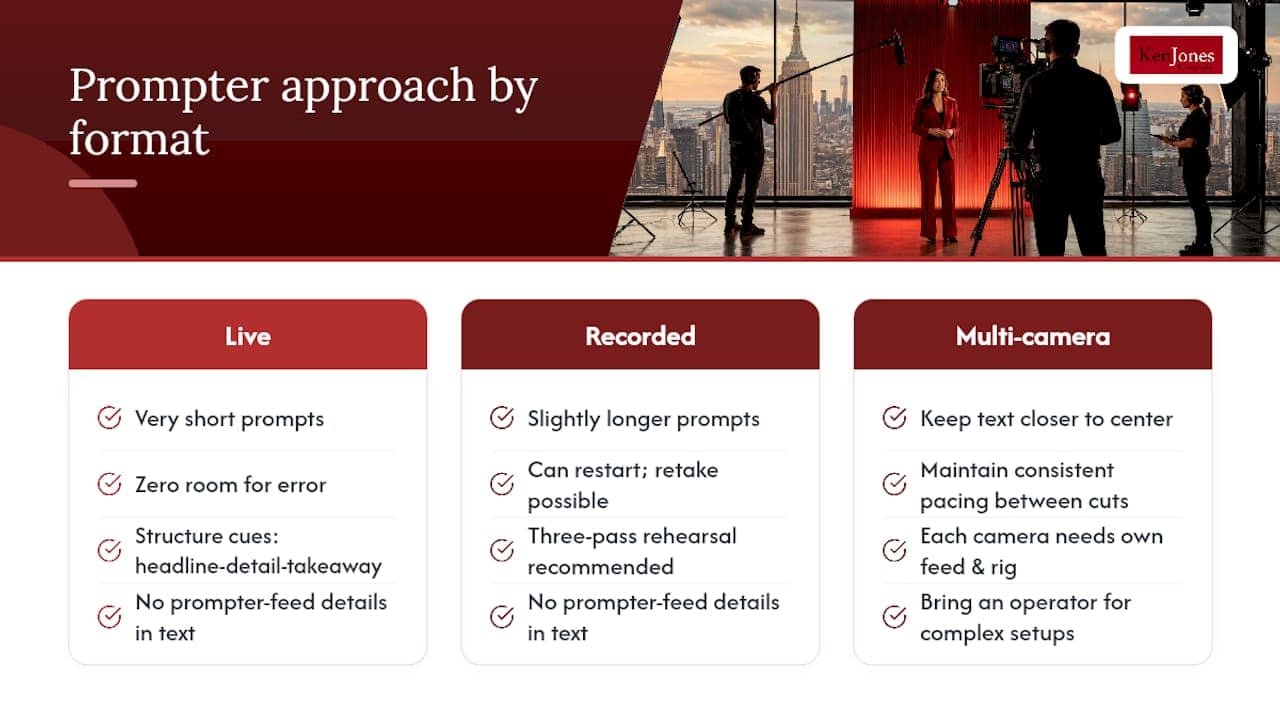
Live interviews leave zero room for error, so your prompts need to be shorter and your bridge phrases sharper than anywhere else. There’s no review pass, no second take. Lean harder on structure cues, a simple headline, detail, takeaway pattern works well, because they guide the shape of your answer without dictating exact wording, which is safer when you can’t stop and restart.
Recorded interviews give you breathing room. You can afford slightly longer prompt sections because a flubbed line just means “let’s go again.” This is also where the three-pass rehearsal method pays off most, since you have time to actually run it before cameras roll.
Multi-camera setups add a wrinkle: each camera typically needs its own prompter feed and rig, angled so the eye-line rule holds true from every position you’ll be shot from. If you’re cutting between a wide shot and a close-up, your prompter positioning has to work for both, which usually means keeping text placement closer to center and relying more on voice-activated scroll so pacing stays consistent no matter which camera is live. For anything with multiple cameras and real production stakes, this is exactly the kind of shoot where bringing in an operator instead of running the rig yourself starts to make real sense.
Ken Jones: A Quick On-Set Lesson in Prompter Placement
I once had a corporate client whose executive kept looking “shifty” on playback, no matter how many takes we ran. Turned out the prompter was mounted a foot off-axis from the lens, close enough to feel right in person, far enough to read as evasive on camera. We rebuilt the prompts into shorter bridge-phrase format and moved the rig dead-center over the lens. Two takes later, it looked like a normal conversation.
Three things to check before you blame the talent:
- Is the screen truly centered on the lens, not just “close enough”?
- Are your prompts phrases, not paragraphs?
- Has anyone actually rehearsed with this exact rig?
If the answer to any of those is no, fix the rig before you fix the person. For high-stakes shoots, bring in a pro.
— Ken
How Ken Jones Photography Supports Interview Shoots
A DIY tablet propped next to your laptop works fine for a quick internal video, but it starts to show its limits fast once the stakes go up, a press interview, a board presentation, a broadcast segment where there’s no room for a second take. Some studios run full interview video production out of financial district studios, with beam-splitter prompter rigs, operators who adjust scroll speed in real time as you speak, and lighting and audio dialed in before you ever sit down.

That’s the difference between a talking-head clip that looks homemade and one that looks broadcast-ready: someone else is managing the prompter, the pacing, and the framing, so all you have to manage is your answer. If you’ve got an executive interview, a founder profile, or a press segment coming up, take a look at our corporate interview video production page, or reach out to check studio availability for your next shoot.
FAQ
What Is the Ideal Teleprompter Speed for an Interview?
Most people speak comfortably between 120 and 150 words per minute. Start near 150 during rehearsal and slow down if you feel like you’re chasing the text.
How Far Should the Teleprompter Text Be From My Eyes?
For video calls and remote interviews, keep the script within about 15 degrees of the lens so your glances still register as eye contact on camera.
Should I Write Full Sentences on the Teleprompter?
No. Load 3 to 5 bolded key messages and 2 to 3 bridge phrases instead of full paragraphs, so your delivery stays conversational rather than scripted.
What’s the Glance-and-Grab Technique?
It means reading one line ahead, glancing down for three to five words, then returning your eyes to the lens while you speak, based on the eye-lead reading method professional operators teach.
Do I Need a Professional Operator for a High-Stakes Interview?
For live broadcasts, executive interviews, or multi-camera shoots, a trained operator who adjusts pacing in real time reduces risk significantly compared to running the scroll yourself, which is why studios offer operator support for interview video production