
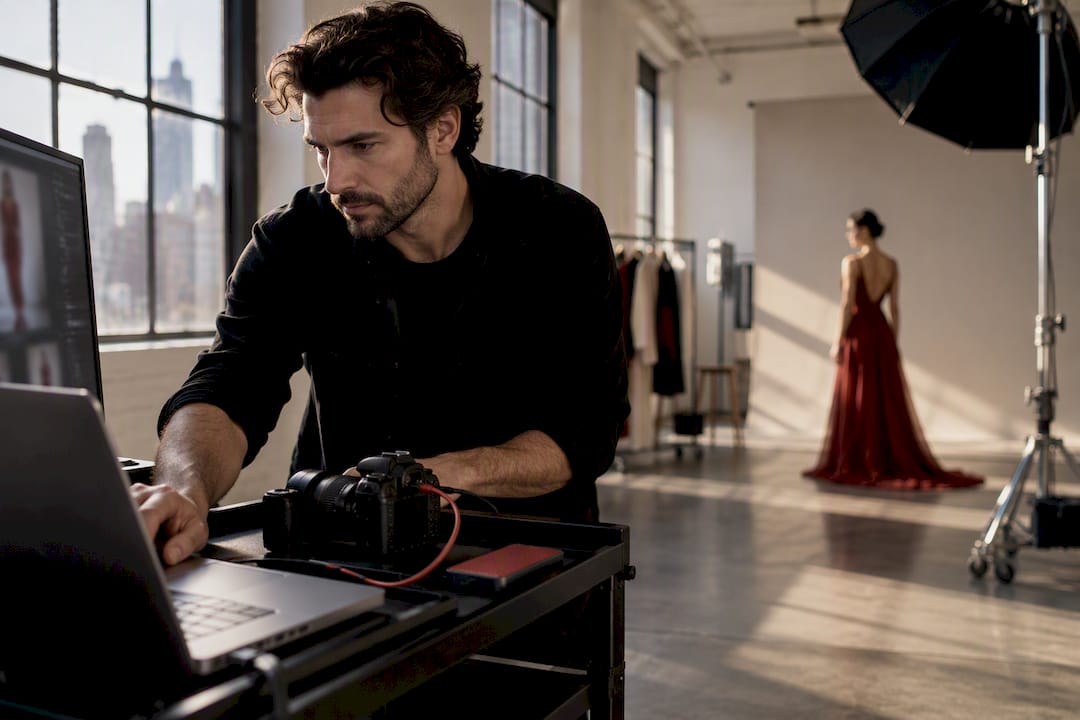
A digital tech on set manages tethered capture, monitors every incoming frame, and protects your files with verified backups from the moment the first card fills to final handoff. The outcome you’re paying for is simple: secure images, an accurate color preview the whole room can trust, and an organized folder that lands in post without a scramble. On any shoot with real budget behind it, that role pays for itself in avoided delays.
TL;DR:
- A digital tech’s thorough prep includes calibrating monitors, testing cameras, and organizing files to prevent delays during the shoot.
- High-quality backups use a 3-2-1 system with verified checksum transfer reports, and drive custody is assigned before wrap to ensure data integrity.
- On large productions, expect deliverables like low-res proofs, organized folders, transfer logs, and color notes, with clear pre-shoot instructions.
- A tethered client review with a graded preview enhances approval speed and reduces missed creative opportunities, especially during key moments.
- Small shoots may skip a tech if no live review or multiple cameras are involved, but high-value or tightly controlled projects benefit significantly from dedicated digital imaging technician support.
Table of Contents
- What a Digital Tech Does Before, During, and After the Shoot
- Essential Kit and Software a Professional Digital Tech Brings
- Backup and Data-Protection Best Practices You Should Insist On
- When You Should Hire a Digital Tech and What to Expect
- How a Digital Tech Improves Client Outcomes on Set
- Day-of Checklist for Producers and Clients Before Wrap
- A Veteran New York Photographer’s Note on Working With a Digital Tech
- How Ken Jones Photography Supports On-Set Digital Workflow
- Sources
- FAQ
What a Digital Tech Does Before, During, and After the Shoot
Most clients only see the digital tech sitting at a laptop cart, quietly typing. What they don’t see is the hour of prep that made the shoot run without a hitch.
Before the first frame gets shot, the tech builds the session, calibrates the client-facing monitor, and runs a tether test with the actual camera body going up on set. They load a LUT package that matches the creative brief and set naming conventions so files don’t come back from a shoot looking like a random string of numbers. Experienced techs run this full check, test capture included, in the first 30 to 60 minutes on set, which is exactly why the day doesn’t start with everyone standing around waiting on a fix.
Once shooting starts, the job becomes constant, low-key vigilance:
- Watch every incoming frame for focus, exposure, and technical flaws before anyone notices them on a big screen
- Apply a non-destructive preview grade so the client sees a graded image, not flat sensor data
- Flag issues immediately: a soft frame, a flash sync miss, a card writing slowly
- Run backups and export selects in parallel, without pausing the shoot to do it
After wrap, the tech finalizes verified backups, exports low-res proofs for client review, and builds a handoff folder with transfer logs. That folder is what your retoucher opens Monday morning, and if it’s a mess, that delay is now baked into your production timeline. A clean retouching workflow starts with a clean handoff, not the other way around.
Essential Kit and Software a Professional Digital Tech Brings
The hardware list is short but non-negotiable: a dedicated tether laptop, a properly calibrated monitor, multiple SSDs or a small RAID setup, card readers matched to the camera format, and enough spare cables that one bad USB connector doesn’t stop the day.
On the software side, Capture One is the standard for tethered capture on most commercial and fashion sets, and Capture One Live has made real-time remote client review practical in a way that simply didn’t exist a decade ago. For verified offload, professional techs reach for tools like Silverstack, ShotPut, or Hedge, and increasingly Resolve’s clone function on video-heavy days, all of which generate the checksum reports and transfer logs) producers should be asking for at wrap.
A few smaller items separate a prepared tech from a scrambling one:
- A calibration device such as an X-Rite or Spyder, used before the shoot, not after a client complains about color
- A gigabit switch when multiple devices need to share a feed
- Real power distribution and cable management, because a tripped breaker mid-shoot is not a story anyone wants to tell
Pro Tip: Ask any tech you’re hiring when they last recalibrated their monitor. If they hesitate, that’s your answer.
Backup and Data-Protection Best Practices You Should Insist On
This is the part clients underestimate until they’ve lost a shoot. A single dropped drive can erase a full day of paid talent, styling, and studio time, and there’s no reshoot that fixes a blown budget.
- Insist on a 3-2-1 backup structure: three copies, two different media types, one off-site or with a separate carrier. Never accept two copies daisy-chained from each other. Copies should come directly from the source media to each backup destination.
- Require checksum verification, using MD5 or xxHash, on every transfer. This confirms the files on the backup are bit-for-bit identical to what came off the card, not just the same file size.
- Assign drive custody before the shoot ends. Someone specific takes the primary drive home, someone else holds the second, and a third verification happens at wrap, not the next morning.
Verified offload tools that generate auditable transfer logs with timestamps and file counts turn a “trust me, it’s backed up” conversation into a paper trail. That distinction matters the day a drive fails and someone asks what happened.
When You Should Hire a Digital Tech and What to Expect
Not every shoot needs a dedicated tech, but a few situations make one close to essential: tethered client review sessions where decision-makers are watching remotely, multi-camera productions, anything involving high-value wardrobe or talent, and shoots with a strict brand color pipeline that has to match past campaigns.
When you book one, expect these deliverables at handoff:
- A low-res proof gallery for quick client review
- An organized session folder with consistent naming
- Transfer logs and backup verification records
- LUT and color notes for the retoucher or editor
- A curated set of selects, if that was part of the brief
Brief the tech clearly before day one: declared deliverables, the color pipeline you’re working in, your preferred file naming, and who holds drives after wrap. On larger productions, DIT and data manager duties often split into two roles; on a typical commercial or editorial shoot, one person handles both.
How a Digital Tech Improves Client Outcomes on Set
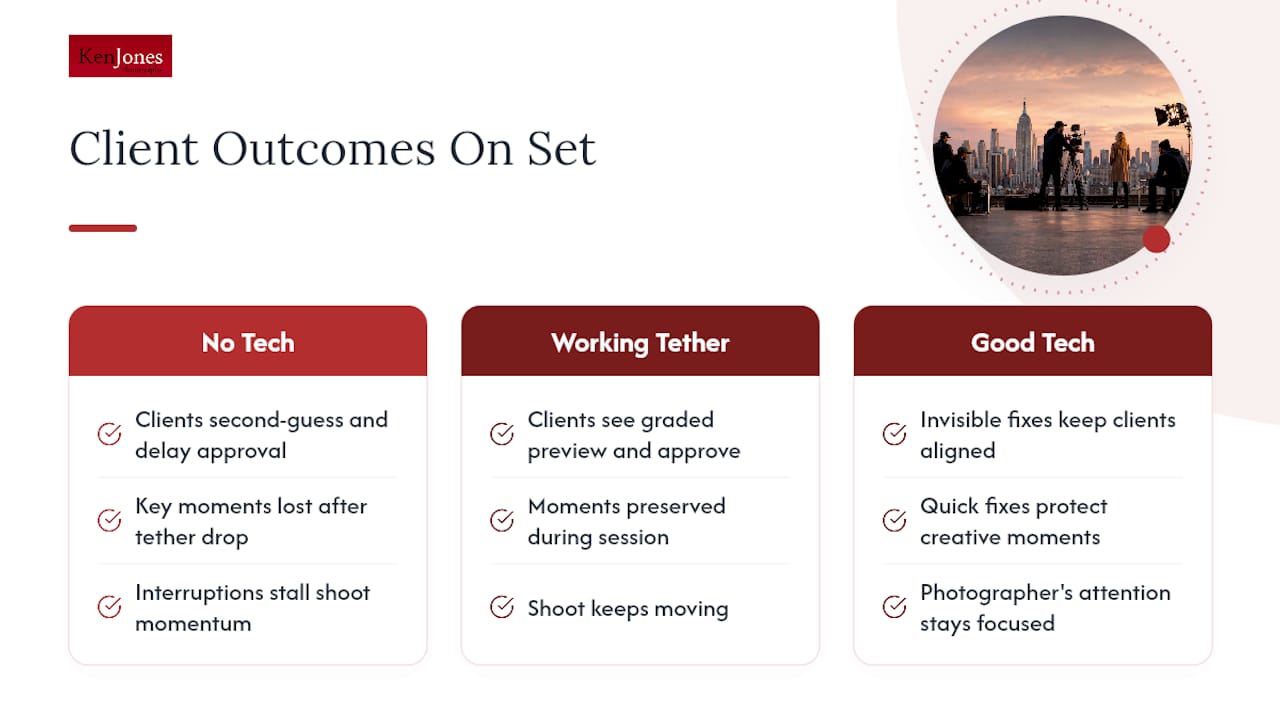
The client-facing monitor is one of the most underused tools on a shoot. Show a room a graded preview instead of flat RAW, and the entire conversation changes. Clients stop second-guessing and start approving.
I’ve watched a tether drop mid-session on a beauty shoot with the client’s marketing team in the room. The energy in that moment, the exact expression the model had just nailed, doesn’t wait around for a reconnect.
When the tether drops during a key moment, the creative energy and opportunity are often lost. A working tether preserves those moments for the client and keeps the shoot moving.
A good tech’s calls are mostly invisible: a quick fix on a flagged frame, a subtle grade adjustment, a card swapped before anyone notices it was nearly full. That’s what protects the photographer’s attention and the client’s momentum at the same time.
Day-of Checklist for Producers and Clients Before Wrap
Before anyone leaves set, run through this short list. It takes ten minutes and saves you a phone call next week.
- Confirm verified backups exist and ask to see the transfer log, including file counts and timestamps.
- Open a handful of selects to check color and confirm metadata looks correct.
- Verify the low-res proof export has been shared and that session naming matches what was briefed.
- Confirm who is physically taking each backup drive off set.
- Get final notes on LUTs used, delivered file formats, and anything post-production will need to know.
A Veteran New York Photographer’s Note on Working With a Digital Tech
Early in my career, I ran a shoot without a dedicated tech to save budget. The tether died twice, we lost twenty minutes both times re-cabling, and the client noticed. I never made that mistake again on anything with real stakes.
Brief your tech like you’d brief any key crew member: clear deliverables, clear naming, clear ownership of drives. Trust in that monitor is what speeds up approvals, not more takes. The tools have changed a lot since I started. What a good tech protects, your time and your files, hasn’t changed at all.
— Ken
How Ken Jones Photography Supports On-Set Digital Workflow
Booking a shoot with a mismatched crew is how good production budgets turn into reshoot budgets. Digital workflow management is built into full-service production support, so you’re not hiring a photographer and separately hunting for someone to protect your files.

When you book through this studio, you get production coordination handled alongside the shoot itself, verified file delivery with an organized handoff, and the option to pair it with studio rental in the Financial District if you need a controlled environment for the day. Whether the project is beauty photography, a product or e-commerce shoot, or executive portraits, the workflow behind the camera gets the same attention as what’s in front of it. If distributing the final assets fast is part of your plan, a partner like SocialGrove can help move approved images straight into your social channels. Check availability or request a quote on the Ken Jones Photography landing page before your next shoot date fills up.
Sources
- The Digital Tech Is the Most Important Person on Set (And No One Talks About It) | Tether Tools
- Production 101: What Is a Digital Imaging Technician | PremiumBeat
FAQ
What Does a Digital Tech Do?
A digital tech manages tethered capture, monitors incoming images for technical problems, applies a preview grade for client review, and handles verified backups throughout the shoot. On smaller productions, one person often covers both DIT and data management duties that split into separate roles on larger sets.
How Many Photographers Earn Above Typical Industry Rates?
Reliable figures on photographer income at very high levels aren’t publicly available in a detailed form to state as fact. From experience in the industry, photographers reaching those income tiers generally operate full commercial or corporate production businesses, rather than solo-shoot freelancers, involving crew, studios, and long-term brand clients.
Why Is Gen Z Obsessed With Digital Cameras?
The renewed interest in dedicated digital cameras among younger shooters tends to come from wanting more creative control and a distinct look than a phone camera delivers, plus the tactile appeal of a physical tool. It sits alongside, not against, the broader digital workflow that professional sets rely on.
What Is the 20-60-20 Rule in Photography?
Definitions of this rule vary depending on who’s teaching it, and it isn’t a standard covered in professional on-set workflow. If you’ve heard it applied to lighting ratios or shot composition, treat it as a rough teaching guideline rather than a fixed industry standard.
Do I Need a Digital Tech for a Small Shoot?
Not always. A single-camera shoot with no live client review and low-stakes assets can often run without one. But tethered client sessions, multi-camera setups, or anything with high-value wardrobe or talent are exactly the situations where skipping the role costs more than it saves.