
TL;DR:
- Effective studio management involves detailed planning, verifying power capacity, and assigning clear roles to prevent delays. Booking preparations include confirming load-in logistics, circuit counts, and equipment specifications to avoid costly mistakes. Structuring the shoot with a prioritized list, scheduled buffer times, and proper data backup ensures efficient use of rental hours and a smooth workflow.
The most effective ways to maximize rented studio space come down to three things: arrive with a prioritized shot list and lighting plan, verify power capacity and load-in logistics before you sign anything, and assign named roles on a call sheet so no one is waiting on someone else’s decision. At FultonStudio and across the commercial spaces Ken Jones Photography works in throughout Manhattan, the shoots that run clean are the ones that were planned like productions, not photo sessions. Most shooting areas offer roughly three 20-amp circuits (about 7,200 watts); confirm that number before you book, not after your first strobe trips a breaker.
The highest-impact tactics, in order of leverage:
- Confirm load-in access, freight elevator dimensions, and truck parking before booking
- Verify dedicated circuit count and whether generator tie-ins are available
- Reserve a separate staging area for hair, makeup, and wardrobe
- Pre-stage or pre-order rented gear so it’s on the floor when the crew arrives
- Build explicit buffer time into the booking for setup and teardown
Pro Tip: Block the first hour of your rental for load-in and the final 30 minutes for teardown. Overtime in NYC studios often bills in 15-minute increments at a premium rate higher than the standard hourly rate. Those two buffers pay for themselves on the first shoot.
Table of Contents
- 1. What should you confirm before booking a studio?
- 2. How do you plan a shoot day that protects your rental time?
- 3. Verify power, gear, and data workflow before you arrive
- 4. How to run the day efficiently: layouts, set changes, and downtime
- 5. Making one studio day cover both photo and video
- 6. Wrap, backup, and handoff: protect the files and the relationship
- 7. Rental contracts, fees, and insurance items to watch
- Key Takeaways
- What most production guides get wrong about rented studio time
- FultonStudio and Ken Jones Photography: full-service production for NYC shoots
- Further reading and resources
- FAQ
1. What should you confirm before booking a studio?
Treat the pre-booking call like a technical scout. The studio rental checklist below covers the items that most commonly derail shoots after the deposit clears.
| Item to confirm | What to ask for |
|---|---|
| Shooting area dimensions | Square footage, shooting depth (camera to backdrop), ceiling height |
| Cyc wall specs | Width, height, condition, and whether it’s included or an add-on |
| Load-in logistics | Ground-level access, freight elevator dimensions, door width, truck parking |
| Power capacity | Number of dedicated circuits, amperage, generator tie-in availability |
| Included equipment | Exact brand and model numbers for lights, stands, and modifiers |
| Fees and billing | Base rate, overtime increment, deposit terms, mandatory cleaning fee |
| Insurance requirements | Required COI limits and whether vendors need to be named insured |
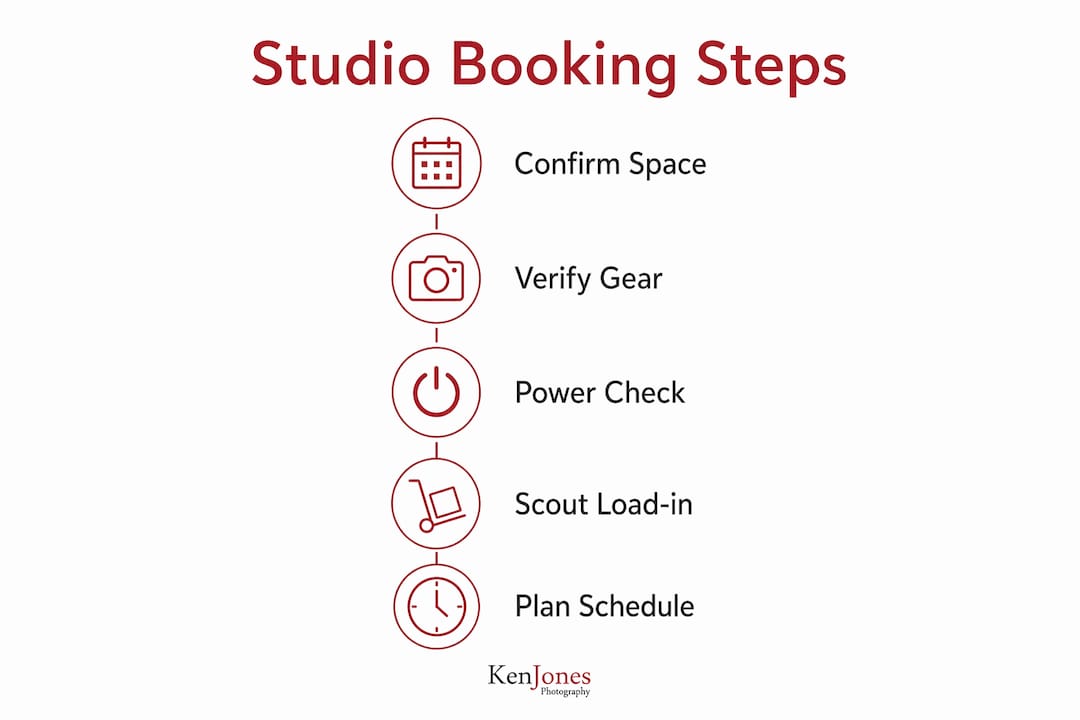
Studios list included gear differently. “Fully equipped” can mean anything from a pair of monolights to a full grip package. Request exact models and quantities in writing before you commit.
Pro Tip: An in-person scout is the only reliable way to confirm freight access, elevator dimensions, and dedicated circuit locations for heavy gear loads. Photos and virtual tours show the best angles, not the real constraints.
2. How do you plan a shoot day that protects your rental time?
Start with a prioritized shot list. Order must-have setups first, and for each setup note the lighting configuration, background, props, and estimated minutes. The “what next” gap is the most expensive mistake on a rented-studio day: crews that arrive without a clear sequence lose rental hours to indecision.
Build a minute-by-minute schedule:
- Call time and load-in window
- Tech check and tethering setup
- Hair and makeup (running parallel to lighting build)
- First setup: lighting test and first shoot block
- Set change windows (plan 3–4 distinct setups per 2-hour block)
- Client review window (scheduled, not ad hoc)
- Wrap and load-out
Assign roles by name on the call sheet, not just by title. Producer, art director, lead assistant (lighting), data wrangler, wardrobe and hair lead, and client liaison should each have a name next to the role. A detailed call sheet sent the day before prevents late arrivals and miscommunications that eat directly into paid studio time.
A two-hour beauty session in Manhattan once lost nearly an hour because the team shot the most complex lighting setup first, then tried to build a simpler look while the client waited. Reversing the order on the next booking, starting with the quick setup to get selects in the bank, then moving to the elaborate rig, kept the shoot on schedule and avoided overtime entirely.
3. Verify power, gear, and data workflow before you arrive
Electrical capacity is the technical constraint that catches teams off guard most often. Many shooting areas provide roughly three 20-amp circuits (about 7,200 watts); larger productions frequently need generator tie-ins, which are not included in the standard rate.
Before the shoot day, confirm:
- Number of dedicated circuits in the shooting area and panel locations
- Wi-Fi speed (aim for at least 50 Mbps for tethered content work) and guest credentials
- Grounded outlets near the shooting area
- Whether on-site UPS or power distribution is available
- Tethering hookup availability and whether the studio’s computer matches your workflow
Bring your own tethering laptop and cables. Never assume the studio’s setup matches yours. For data, the standard on a commercial shoot is two separate drives backed up on-site before anyone leaves the building, with a clear naming convention and a designated data wrangler responsible for both.
Pro Tip: Pack your own labeled power strips and a tethering hub. Test the tether connection during the scout or at the start of load-in, not after talent is on set.
4. How to run the day efficiently: layouts, set changes, and downtime
Run the day like a relay. Lighting build, talent prep, and client review should happen in parallel wherever possible. The moment those tasks run sequentially, you’re paying for idle time.
Designate three zones at the start of load-in and label them on the call sheet:
- Gear safe zone: all cases, bags, and equipment that isn’t actively in use
- Prep area: hair, makeup, and wardrobe, physically separated from the shooting area
- Video village: client viewing monitor, producer station, and any playback setup
For set changes, modular lighting saves the most time. Pre-rigged stands, grids, and flags that swap rather than rebuild cut transition time significantly. Limit yourself to 3–4 distinct setups in a 2-hour block; more than that and you’re rushing every one of them.
Pro Tip: Set a visible countdown clock and give the team a 15-minute and a 5-minute heads-up before wrap. It prevents the slow drift toward overtime that happens when everyone assumes there’s more time than there is.
5. Making one studio day cover both photo and video
The format that requires the most setup goes first. Video, with its audio requirements and continuous lighting, almost always needs more rig time than stills. Shoot video sequences first, then swap in strobes for photography while keeping camera positions as consistent as possible for continuity.
A practical sequence for a hybrid photo and video day:
- Pre-rig continuous and background lights before crew call
- Sound check and ambient noise test
- Lock camera settings and capture video plates
- Scheduled client review mid-day (not ad hoc)
- Swap to strobes, adjust color temperature, and shoot stills
Checklist items specific to hybrid days:
- Lighting color temperature plan (continuous and strobe temps must be compatible or separated)
- Wardrobe continuity notes between video and photo setups
- Extra batteries for continuous lights
- Clear camera position markers so stills match video framing
6. Wrap, backup, and handoff: protect the files and the relationship
Immediate backup and a clean gear return protect both the work and your access to the studio for future bookings. A standard wrap sequence:
- Confirm all rented gear is returned and inventoried against the original list
- Sweep and reset the set; photograph any pre-existing damage or exceptional conditions
- Return studio keys or access credentials
- Duplicate file backup to two separate drives before leaving
- Run a quick integrity check on both drives
- Confirm delivery timeline with the client before anyone leaves
A simple final walkthrough before load-out catches the items that generate billing disputes: lens caps, chargers, small grip pieces, and any studio props that need to be returned to their original position.
7. Rental contracts, fees, and insurance items to watch
Read the contract line by line. Overtime billing, COI requirements, and deposit terms are where most clients get surprised. Overtime often runs 1.5x the hourly rate and is commonly charged in increments, either 15-minute blocks or full hours depending on the studio.
Items to confirm in writing:
- Base hourly rate and what it includes (setup time, cleaning, equipment)
- Overtime multiplier and billing increment
- Security deposit amount and return conditions
- Cancellation policy and rescheduling terms
- Mandatory cleaning fees and any damage liability caps
For insurance, confirm the required COI limits before booking. Some studios require vendors to be named insured on your policy. If you don’t carry production insurance, short-term coverage is available and worth the cost for any commercial shoot. For a deeper look at common contract clauses and negotiation language, the studio rental contracts guide on the Ken Jones Photography site covers the specifics.
The most negotiable item in most studio contracts is the setup window. Ask for 30–60 minutes of included setup time before the billable shoot clock starts. Many studios will agree, especially for repeat bookings or multi-day productions.
Pro Tip: Ask the studio for a written list of included gear with exact model numbers before you sign. “Fully equipped” is a marketing phrase, not a specification.
Key Takeaways
Treating a rented studio like a full production, with a prioritized shot list, named roles, verified power, and explicit buffer time, is the single most effective way to protect your rental investment and deliver clean results.
| Point | Details |
|---|---|
| Verify power before booking | Most shooting areas offer roughly three 20-amp circuits; confirm generator tie-in options for larger productions. |
| Prioritize the shot list | Order must-have setups first to eliminate the “what next” gap that costs rental hours. |
| Assign named roles | Put a name next to every role on the call sheet; titles without names create accountability gaps. |
| Build in buffer time | Block the first hour for load-in and the final 30 minutes for teardown to avoid overtime billing. |
| FultonStudio / Ken Jones Photography | Full-service production support, studio rental, and day-of management for NYC commercial shoots. |
What most production guides get wrong about rented studio time
The standard advice is to arrive early and have a shot list. That’s correct, but it misses the real problem. The expensive mistakes on rented-studio days aren’t caused by forgetting a shot. They’re caused by underestimating the time cost of transitions: set changes, client approvals that weren’t scheduled, a tethering setup that doesn’t work with the studio’s router, or a freight elevator that’s shared with three other tenants and runs on a schedule nobody told you about.
The habit worth building is this: scout in person, or at minimum request recent unedited photos of the load-in path and the circuit panel, and ask for the exact power specs in writing. Every shoot I’ve seen run over budget had one thing in common: a logistics assumption that turned out to be wrong. The fix is almost never more gear or a bigger crew. It’s better information gathered earlier.
FultonStudio and Ken Jones Photography: full-service production for NYC shoots
For commercial teams that want the planning, the space, and the execution handled together, FultonStudio at Ken Jones Photography offers studio rental with full production support built in. That means creative direction, lighting, assistants, hair and makeup coordination, data wrangling, and post-production delivery under one booking, without the overhead of assembling a separate crew for each element.
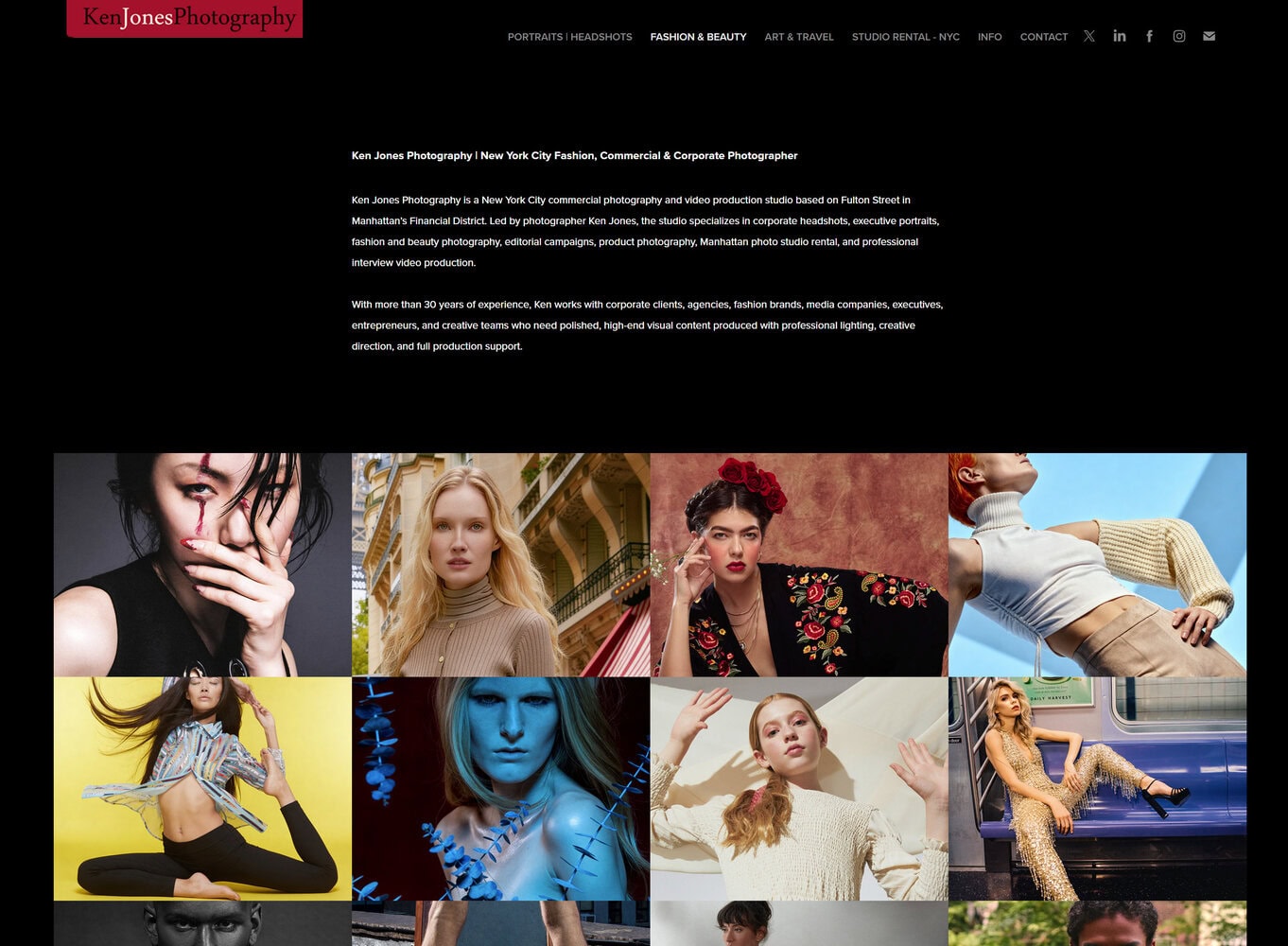
Whether you’re planning a fashion editorial, a beauty campaign, a product shoot, or a hybrid photo and video day, the studio is set up to handle the technical and logistical details that typically eat into rental time. View the full range of commercial photography services or go directly to the studio rental page to check availability and request a production consult.
Further reading and resources
Internal resources on Ken Jones Photography:
- Studio rental equipment checklist for pro shoots
- Studio rental contracts and fees: a pro’s guide
- Manhattan studio for photography: your 2026 rental guide
- What is included in a studio rental package?
- Photo and video together: how one production day can cover both
External technical references:
- Photography studio rental checklist: everything to verify before booking
- Photography studios for film and video production: what crews need
- AV and power logistics guidance for production planning
FAQ
What is the typical power capacity in a rented photography studio?
Most shooting areas provide roughly three 20-amp circuits, totaling about 7,200 watts. Larger productions with heavy continuous lighting or multiple battery chargers often need generator tie-ins, which are typically not included in the standard rental rate.
How do you avoid overtime charges on a studio rental?
Block the first hour of your booking for load-in and reserve the final 30 minutes for teardown and reset. Confirm in writing whether setup and cleanup time is included in the rate or billed as part of the rental clock.
What should a call sheet include for a studio shoot?
A call sheet should list exact arrival times, load-in and parking instructions, power access points, named roles and contact numbers, and the prioritized shot list sequence. Send it the day before to prevent late arrivals and on-set miscommunication.
How do you run a hybrid photo and video day in one studio booking?
Shoot video first, since it requires more rig time and audio setup. Once video plates are captured, swap to strobes for stills while keeping camera positions consistent. Schedule a client review mid-day rather than allowing unplanned approvals to push the timeline.
What insurance do you need to rent a photography studio in NYC?
Most NYC studios require a certificate of insurance (COI) with specified liability limits, and some require vendors to be named insured. If you don’t carry a standing production policy, short-term production insurance is available and covers a single shoot day.