
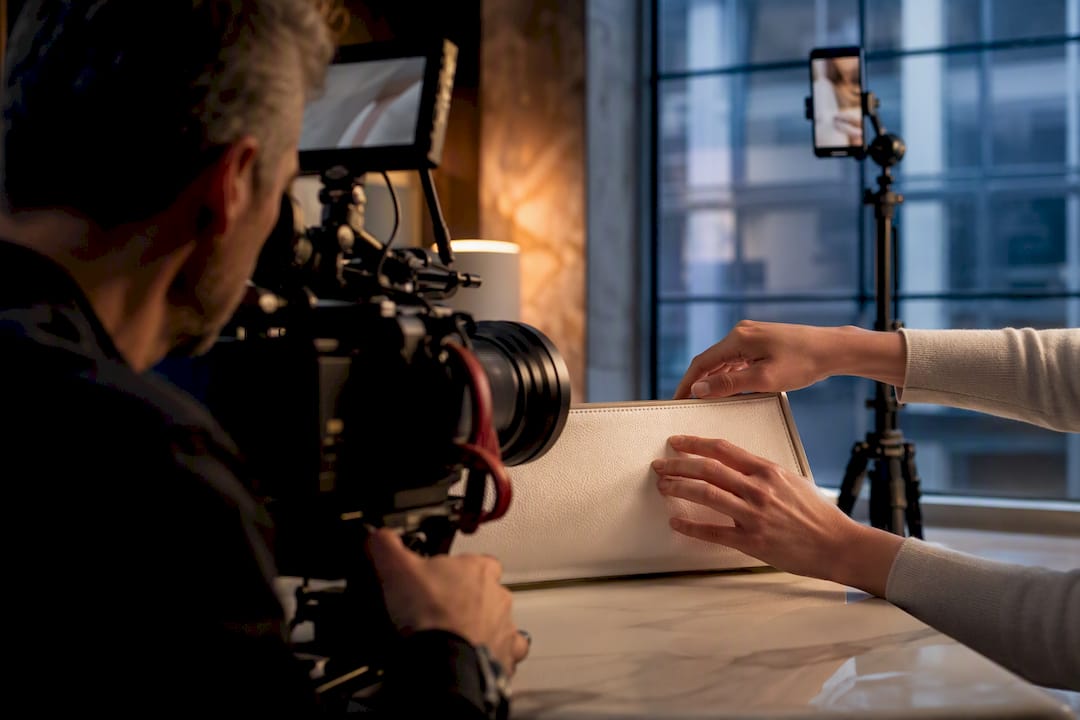
The main product video types marketers rely on are explainer videos, demos, how-to tutorials, testimonials, teasers, social shorts and ads, and product page videos. The right choice depends on two things: where the buyer stands in the funnel and how complicated the product is to understand. A New York City studio producing commercial and product video for brands and e-commerce clients sees this decision made wrong more often than right.
TL;DR:
- Explainer videos are most effective at the awareness stage and on product pages, running 30 to 90 seconds to capture quick attention.
- Demo videos, lasting 60 to 180 seconds, are best suited for consideration, especially for technical products where buyers need to see the product in use.
- A single shoot day can produce multiple assets, including horizontal overview videos, vertical social clips, and testimonial segments, with proper scheduling.
- 360-degree product videos provide control and detail, ideal for products where shape and texture influence buying decisions, but require consistent lighting across angles.
- Comparison videos should remain honest and straightforward, helping buyers see tradeoffs and build trust by side-by-side, real-time details.
Table of Contents
- A Practical Catalog of Product Video Types and When to Use Them
- How to Choose the Right Product Video Type for Your Funnel
- Studio-Grade Production Lessons From the Ken Jones NYC Set
- Where Each Video Type Belongs and How to Repurpose a Shoot
- 360-Degree Product Videos
- Comparison Videos
- What Marketers Get Wrong About Product Video Strategy
- How Ken Jones Photography Supports Product Video Production
- Sources
- FAQ
A Practical Catalog of Product Video Types and When to Use Them
Every video type has a job. Confuse the jobs and you waste a production budget on the wrong asset for the wrong moment.
Explainer or overview videos run 30 to 90 seconds and answer one question: what is this and why should I care? They work best at the awareness stage and on product pages, where a shopper has seconds to decide whether to keep scrolling. Wistia’s research on product page videos makes the case that explainer, demo, and testimonial formats each serve a distinct role on a page, and that narrative quality combined with production value moves conversion numbers. An explainer is not the place to cram in every feature. It is the place to earn ten more seconds of attention.
Product demo or in-action videos run longer, typically 60 to 180 seconds, and belong in the consideration stage. These matter most for technical or higher-consideration products where the buyer needs to see the thing work before they trust it. Wistia’s funnel guidance notes that bottom-of-funnel product demos and instructional clips tend to close deals better than high-level brand films, particularly in B2B contexts where a buyer wants to see workflow fit, not just a mood.
How-to and tutorial videos are the evergreen workhorses of a product library. They teach a specific task, step by step, and because they solve a real problem, they keep getting watched long after the launch buzz fades. Wistia’s guidance on evergreen video content lists how-to formats alongside explainers and testimonials as some of the most durable assets a brand can build. Shoot one well and you can slice it into five or six short clips for social later.
Testimonial and case study videos carry a kind of proof no brand can generate on its own. They belong on product pages and in social proof campaigns, and the quality of the interview determines whether the final cut feels like a script or a conversation. Getting a usable quote on camera is a skill, not luck, something we cover in more detail below.
Teaser and launch videos exist to build anticipation before a product is available. They are short by design, often 10 to 20 seconds, and they lean on a hook, a reveal, or a countdown rather than information. Cadence matters here: a single teaser rarely does the job. A short sequence released over a week or two, each one revealing slightly more, tends to outperform one big reveal.
Social shorts and ads are their own category with their own rules. Vertical framing is the default now, not the exception. Bumper ads run six seconds or less and need to land the message before a viewer can think about skipping. Skippable in-stream ads get roughly five seconds to earn the rest of their runtime, which means the first frame carries more weight than anything else in the edit.
Product page detail videos pair a short overview with a focused demo, often auto-playing near the product images. Their job is to reduce friction at the exact moment a shopper is deciding whether to add to cart. Video outperforms static images here for a straightforward reason: it lets a buyer experience the product without holding it. An AMA summary of a Journal of Marketing study found that dynamic presentation, meaning video, consistently outperforms still images for both practical and pleasure-driven products by creating a kind of virtual trial.
Unboxing, review, and influencer-style formats bring in a third-party voice, which matters when a brand’s own claims need outside validation. Think With Google’s shopping research points to formats like “shop with me” and “does it work” videos as genuinely influential in purchase decisions, precisely because they come from someone other than the brand.
- Explainer videos run 30 to 90 seconds and fit awareness and product pages.
- Demo videos run 60 to 180 seconds and fit consideration and technical products.
- How-to videos are evergreen and repurpose well into short clips.
- Testimonials provide proof for product pages and social campaigns.
- Teasers build anticipation through short, staged reveals before launch.
How to Choose the Right Product Video Type for Your Funnel
Picking a video type before you know its job is how budgets get wasted on beautiful footage nobody watches to the end. Start with the funnel stage, not the format.
Awareness-stage viewers need a quick, visual answer to “what is this.” Consideration-stage viewers need proof it works and fits their situation. Conversion-stage viewers need friction removed at the moment of decision. Retention-stage customers need help getting more value out of what they already bought. Match the KPI to the stage: view-through rate and reach for awareness, watch time and click-through for consideration, add-to-cart and conversion rate for the bottom of the funnel, and feature adoption for retention. A funnel-performance breakdown covering how different content types perform at each stage is worth a look if you’re building this into a broader content plan.
Before commissioning anything, run through a short checklist:
- How complex is the product? Simple products need less explanation; technical ones need a demo.
- How much friction exists in the purchase? High-friction, high-consideration purchases need more proof.
- What kind of proof does the buyer expect? Reviews, testimonials, or a live demonstration?
- What is the budget and timeline? A single studio day can produce more than one asset if planned right.
- Where will this live? A product page, a paid ad, an email, or all three?
Answer those five questions honestly and the format usually picks itself.
Pro Tip: Book one production day as a “master shoot” and plan the shot list to cover a horizontal demo, a vertical social cut, and a short testimonial setup, so one afternoon on set produces three to five usable deliverables instead of one.
Studio-Grade Production Lessons From the Ken Jones NYC Set
Good lighting for a product shoot is not the same as good lighting for a mood piece, and treating them the same is one of the most common mistakes we see from teams who show up with a single lighting plan for a shoot that needs two.
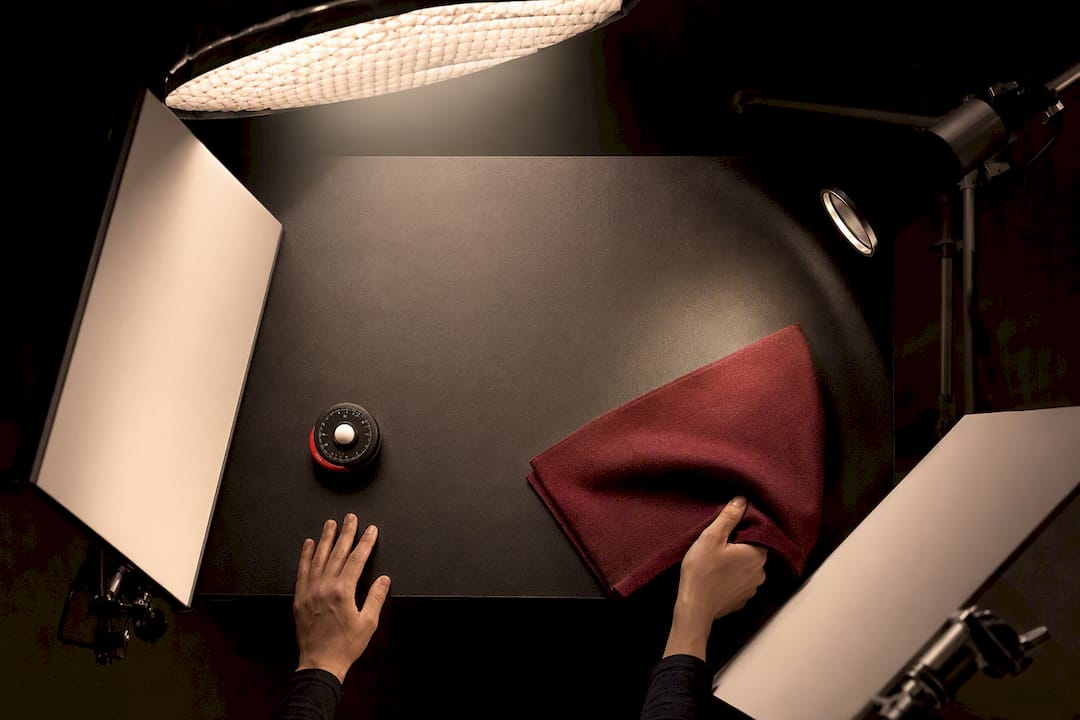
For product clarity, a three-light setup does most of the work: a large soft key light to reveal texture and true color, a fill to open shadows without flattening the product, and a rim or edge light to separate the product from the background. For mood, the approach flips: a single hard source, deeper shadows, and color gels that support a brand feel rather than accuracy. A third recipe, useful for demo video where hands are working with the product, adds a low-angle fill so the demonstrator’s hands never throw a shadow across the thing they’re showing.
Sound gets ignored more than any other production element, and it shouldn’t. A demo video with clean, close-mic’d audio builds trust in a way that background music alone cannot. Pacing matters just as much: cut too fast and a product demo feels like an ad, cut too slow and a viewer leaves before the payoff.
Directing a testimonial well comes down to the questions, not the person. Ask about a problem before the product, not the product itself: “What were you dealing with before this?” opens more honest answers than “What do you like about it?” Three open prompts, a five to seven minute interview window, and a b-roll checklist shot around the conversation typically produce enough usable material for several fifteen to sixty second cuts without a reshoot. Our guide on what makes a corporate interview video look professional goes deeper into framing and interview technique for this exact scenario.
One recurring client mistake: teams schedule a full day for “the video” without separating master footage from short-form needs, then discover in the edit that nothing was framed for vertical. The fix is scheduling, not shooting harder. Block the first hour or two for horizontal hero footage and controlled demo sequences, then use the last hour of the day specifically for vertical reframes and quick testimonial setups. That structure alone, planned in advance, doubles or triples the usable output of the same call time.
- Use a three-point setup for product clarity and a single hard source for mood.
- Close-mic demo audio, since ambient sound rarely holds up under scrutiny.
- Ask about the problem before the product to get an honest testimonial answer.
- Schedule vertical and horizontal masters into the same shoot day, not as an afterthought.
Pro Tip: Shoot your testimonial b-roll before the interview, not after. Subjects relax once the “real” question part is over, and you lose the natural product-handling shots you need most.
Where Each Video Type Belongs and How to Repurpose a Shoot
Placement decides whether a good video actually does its job. A product page needs a short overview autoplaying near the images, paired with a slightly longer demo a shopper can choose to watch. That combination consistently reduces the hesitation that keeps a cart abandoned.
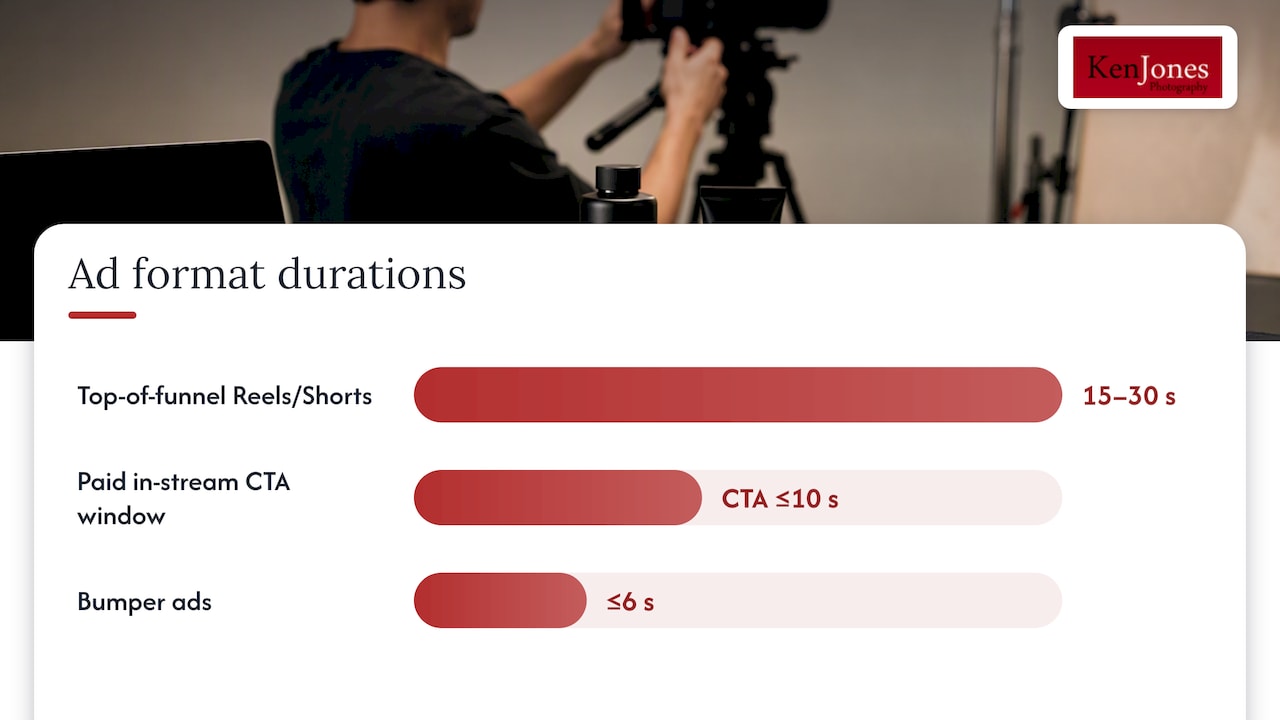
Social platforms want different lengths for different funnel positions. Top-of-funnel awareness content on Instagram Reels or YouTube Shorts should run 15 to 30 seconds with a soft, curiosity-driven close. Bottom-of-funnel paid ads need a clear call to action inside the first ten seconds, because a skippable in-stream ad only gets a few seconds of guaranteed attention before the skip button appears. Bumper ads, capped at six seconds, work best as reinforcement for a message the viewer has already seen once elsewhere.
Email and onboarding sequences are underused for video. A short feature-update clip or a “how to get the most out of this” tutorial embedded in an onboarding email drives adoption in a way a paragraph of text rarely matches.
A single well-planned shoot day can realistically produce:
- One horizontal product page overview.
- One vertical social teaser or ad cut.
- One demo video for the consideration stage.
- Two to three short testimonial clips from one interview session.
360-Degree Product Videos
A 360-degree product video lets a shopper rotate the product on screen, controlling the angle rather than watching a fixed edit. It fits products where shape, texture, or build quality drives the buying decision: furniture, footwear, jewelry, and hardware all benefit from this format on a product detail page. Unlike a standard demo, a 360 video is less about narrative and more about giving the buyer control, which mimics the experience of picking something up in a store.
Production for 360 video is unforgiving about consistency. Lighting has to remain even across every angle, which usually means a ring or multi-point setup rather than the directional key-and-fill approach used for a standard product shot. Any shadow that looks fine from one angle will look wrong from another, so a lighting check has to happen at multiple rotation points, not just the “hero” angle.
These videos work best paired with, not instead of, a shorter overview or demo. A shopper who wants to inspect stitching or hardware finish will use the 360 view, but most still want the thirty-second context of an explainer first. Treat 360 video as a detail-stage asset, not a top-of-funnel one, and it earns its production cost.
Comparison Videos
A comparison video puts a product side by side with an alternative, either a competitor or a previous version, to make a decision easier for a buyer stuck between options. This format sits squarely in the consideration stage, aimed at shoppers who already know what category they want and are narrowing down which specific option solves their problem best.
The format only works when it stays honest. A comparison that feels like a hit piece on the alternative loses credibility fast, while one that lays out real tradeoffs, price, materials, use case, build quality, gives the viewer a genuine reason to trust the brand’s judgment. Split-screen or side-by-side framing tends to work better than cutting back and forth between two separate shots, since the viewer can compare details in real time rather than relying on memory.
Comparison videos also do double duty as sales enablement. A demo team or a customer service rep can send a short comparison clip to answer the exact question a hesitant buyer keeps asking. That makes it worth shooting even for a smaller catalog, since one well-made comparison can answer an objection that would otherwise take a paragraph of email to explain.
What Marketers Get Wrong About Product Video Strategy
The biggest mistake I see isn’t bad lighting or a shaky edit. It’s a beautifully produced video aimed at the wrong stage of the funnel: a cinematic brand film sitting where a plain, clear demo should be, or a bare-bones demo trying to do the emotional work of a launch teaser.
Years of shooting product and commercial work in Lower Manhattan taught me that clients often ask for the video that looks most impressive in a reel, not the one that actually moves their buyer forward. I’ve had clients arrive wanting a single “hero” video to cover every stage of their funnel, from cold awareness to final purchase decision. It never works as well as three shorter, purpose-built pieces cut from the same shoot day.
The corrective step is simple: before booking a shoot, write down the one action you want the viewer to take after watching, and the stage they’re in when they see it. If you can’t answer both, you’re not ready to shoot yet. Match the format to that answer, not to what looks best on a reel.
— Ken
How Ken Jones Photography Supports Product Video Production
A photography and video production studio in Manhattan’s Financial District produces these types of product videos with services built around exactly these needs. The Product / E-Commerce service covers product page overviews and demo footage, while Interview Video production handles testimonial and case study shoots with the interview technique and framing discussed above.

Clients working with the studio get full production support rather than just a camera and a crew: creative direction, styling coordination, studio rental in Lower Manhattan, lighting, and post-production handled in one place. A single booked day can realistically produce horizontal, vertical, and testimonial assets described earlier without needing to coordinate separate vendors.
If you’re planning a product video and aren’t sure which format fits your funnel stage, the fastest way forward is a direct conversation. Visit Kenjonesnyc to see current work and request pricing for your next shoot.
Sources
- 3 Best Practices for Creating Compelling Product Page Videos | Wistia
- Dynamic presentation formats shape consumer preferences | AMA
- Think With Google product video / shopping insights
FAQ
What are the main types of product videos?
The main types are explainer videos, product demos, how-to tutorials, testimonials, teaser or launch videos, social shorts and ads, and product page detail videos. Each fits a different funnel stage, from awareness to conversion, so the right choice depends on where your buyer is and how complex the product is.
How long should a product video be?
Explainer and overview videos typically run 30 to 90 seconds, while demo videos run longer, often 60 to 180 seconds, to show a product in full use. Social ads run much shorter, with bumper ads capped at six seconds and skippable in-stream ads needing a strong opening within the first few seconds.
Which product video type works best for a product page?
A short overview paired with a focused demo tends to work best on a product page, since it answers what the product is and then shows it in action. Wistia’s product page research notes that explainer, demo, and testimonial formats each play a distinct role there, and combining the first two reduces hesitation at the point of decision.
Do product videos actually improve conversion compared to photos alone?
Video tends to outperform static images for many product categories because it gives shoppers something closer to a hands-on trial experience. An AMA summary of Journal of Marketing research found this holds true across both practical and pleasure-driven products.
Can one video shoot produce multiple types of product videos?
Yes, with the right planning a single shoot day can produce a product page overview, a demo, a vertical social cut, and several testimonial clips. The key is scheduling horizontal master footage and vertical reframes into the same call time rather than treating each format as a separate shoot.