

Brand photo guidelines are a short, prescriptive spec and shoot playbook that make every photo usable across your brand channels. The single most useful thing a marketing or creative team can do this quarter is build one: a one-page visual spec paired with a two-page shoot checklist. Skip the fifty-page brand bible. A tight, production-ready document gets used on set, which is the only place a guideline actually matters.
TL;DR:
- A concise, production-ready visual guide paired with a detailed shoot checklist improves consistency and usability across brand photography efforts.
- Clear specifications for lighting, composition, technical settings, and posing help photographers execute the brand vision accurately without requiring direct guidance.
- Legal and accessibility requirements, such as signed releases and metadata standards, are essential to ensure images are usable and compliant across channels.
- Practical field experience shows the importance of planning variant shots, managing releases, and logging metadata daily to prevent costly reshoots and licensing issues.
- Combining high-level principles with concrete, measurable instructions creates guidelines that survive real production conditions and support scalable brand consistency.
Table of Contents
- Core visual principles: lighting, mood, color, and composition
- Technical specifications every production team needs on file
- People and portraits: posing, expression, and casting for consistency
- Planning and production: turning the guide into a shot list
- Permissions, usage rights, and accessible metadata
- Retouching rules and color consistency across a campaign
- Rolling the guide out across teams, agencies, and vendors
- Studio-tested examples and lessons from Ken Jones Photography
- What experienced photographers see teams get wrong
- How Ken Jones Photography can help you shoot to spec
- Sources
- FAQ
Core visual principles: lighting, mood, color, and composition
A guideline only works if it describes what the brand should look like in terms a photographer can actually shoot to. That means naming light quality, not just “clean and modern.”
Start with direction and quality. Soft, diffused light near a window or in shade keeps eyes lit and avoids the harsh shadows that make portraits feel cold, a principle. university brand guidelines rely on when directing photographers toward window light and shade rather than direct sun. Give a color temperature range, a contrast preference, and a saturation level, since “warm and inviting” means something different to every photographer until you attach numbers to it.
Composition rules matter as much as lighting. Hero images need open negative space for headlines. Supporting images can be tighter and more candid. Build the spec around these points:
- Light direction and quality: soft key light from an oblique angle, fill at a slightly lower intensity than key light.
- Mood descriptors tied to references: three to five approved images that define warmth, contrast, and saturation targets.
- Composition zones: hero shots keep 30% negative space for copy, supporting shots can crop tighter.
- Reference frame archive: one annotated frame per campaign stored with the final gallery for future photographers to match.
A recurring gap in institutional guides is the space between principle and instruction. Large brand systems often state experience goals like authentic, human, and spontaneous without translating them into camera settings or blocking notes, a pattern visible in GE HealthCare’s photography guidelines. A good spec closes that gap by pairing every principle with a concrete instruction a photographer can execute without a phone call.
Technical specifications every production team needs on file
Marketing teams often assume “high resolution” is a spec. It isn’t. Post-production and web teams need exact numbers, and so does anyone licensing the images later.
Set a RAW capture policy first: shoot RAW, deliver both RAW and processed files to the DAM, and require a minimum pixel dimension on the long edge for anything destined for print or large-format use. INEOS’s photography brand guidelines recommend standardizing color temperature in the 5000K to 5500K range for consistent skin tone and daylight balance across a shoot, which is a useful default unless a campaign calls for a warmer or cooler look on purpose.
- RAW capture required, JPEG or TIFF delivered per channel spec.
- Color temperature target: standardized daylight-balanced range unless the creative brief specifies otherwise.
- Working color space: sRGB for web and social, Adobe RGB for print.
- File naming: campaign code, date, sequence number, and variant tag (example: FALL26_HERO_0142_V2).
| Channel | Aspect ratio | Minimum long edge | Color space | (specify exact pixel dimensions per channel in your shoot brief)
|—|—|—|—|
| Website hero | — | — | sRGB |
| Instagram feed | 1:1 or 4:5 | — | sRGB |
| Print collateral | 4:3 or custom | — | Adobe RGB |
| Paid social ads | — | — | sRGB |
Build crop-safe margins into every hero frame so a square social crop and a wide website banner can both come from the same capture without losing the subject.
People and portraits: posing, expression, and casting for consistency
Portraits are where guidelines fall apart fastest, because every subject reacts differently to a camera and every photographer has their own way of putting people at ease. The fix is a short list of non-negotiables, not a script.
- Set eye light and headroom rules first: catch light in both eyes, one to two inches of headroom above the subject in a standard crop.
- Direct expression with action, not commands. Asking someone to think about a recent win produces a more natural look than “smile.”
- Capture every required variant on set: vertical and horizontal, close-up and mid-shot, with-jacket and without, since corporate guideline documents recommend shooting tie and no-tie, jacket and no-jacket variants precisely so marketing has options later without a reshoot.
- Write casting notes that reflect the brand’s real workforce and customer base, not a stock-photo ideal.
- Give non-model talent one physical task to do with their hands. It removes the stiffness that comes from standing and posing with nothing to hold.
Pro Tip: Shoot the safe, expected frame first, then ask for one unscripted moment right after. The second frame is usually the one marketing picks.
Our guide to preparing a team for corporate headshots covers wardrobe and posing prep in more depth if your team is building this section out for an internal headshot day.
Planning and production: turning the guide into a shot list
A guideline document is only theory until it becomes a shot list with times attached. This is where most of the value gets captured or lost.
- Build the shot list against actual marketing deliverables: label each frame must-have, nice-to-have, or reference, and tie it to the campaign asset it will fill.
- Schedule hero shots during the best light window of the day, and push secondary or detail shots to the flatter light on either side of it.
- Confirm wardrobe, props, and backup options the day before, not the morning of. A missing accessory or the wrong shirt color eats time nobody has.
- Review contact sheets on set with the creative lead before wrapping a setup, so a missed variant gets caught while the crew and talent are still there.
- Back up footage in two locations before anyone leaves the building, and log a rough cut of selects the same day.
This structure mirrors what production-focused planning guides recommend: shoot heroes first, capture orientation and detail variants, review on set, then archive with metadata attached immediately so delivery doesn’t stall waiting on file organization.
Permissions, usage rights, and accessible metadata
Every brand photo guideline needs a legal and accessibility backbone, or the images you love end up unusable the moment someone asks where the release is.
Secure signed model and property releases before the shoot date, not after, and store them in your digital asset management system linked directly to each file’s metadata. Guidance on release timing recommends exactly this workflow, since it lets any team member confirm an asset is cleared without tracking down the photographer weeks later. Institutional libraries like UCSF’s brand photography library go further, pairing curated approved imagery with strict usage restrictions and requiring consent forms before any sensitive photography happens.
- Define usage tiers up front: internal use, commercial use, and paid advertising each carry different rights and often different pay rates for talent.
- Populate IPTC and XMP fields on every asset: caption, creator, copyright status, and usage notes.
- Write alt text that describes the subject and action in plain language, following the accessibility emphasis in IEEE’s imagery guidelines, which also calls for original photography over stock whenever a brand can produce it.
- Flag any asset with an expiring license or a usage restriction directly in the DAM record.
Retouching rules and color consistency across a campaign
Retouching is where brand consistency either holds together or quietly falls apart, one edited photo at a time. Set the limits before the first image lands in a retoucher’s queue.
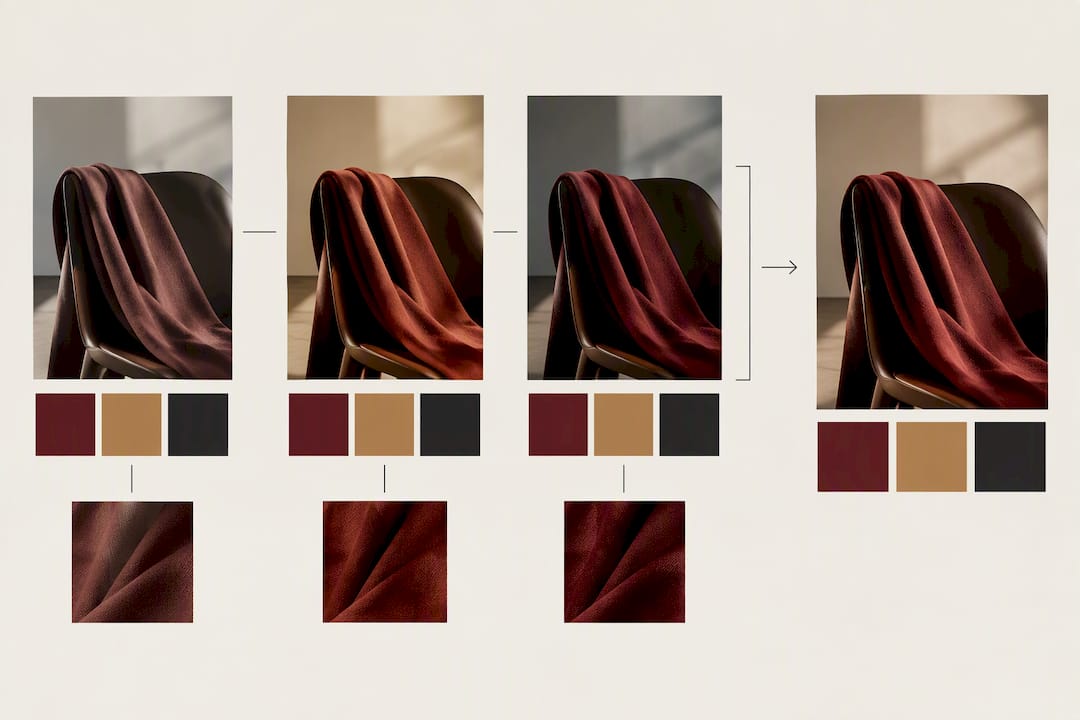
Write a retouching spec that names what is allowed: skin smoothing within a defined limit, color correction to the approved palette, no reshaping of bodies or faces without a specific campaign exception signed off by the brand owner. Document any preset or LUT used on a campaign and store it with the project files so the next photographer or retoucher can match the look instead of guessing at it.
- Standardize color temperature and exposure targets at capture so retouching fixes small variance, not major mismatches.
- Store presets and LUTs in a shared, labeled folder tied to campaign names, never a personal machine.
- Use version control naming that separates rounds: V1_RAW_SELECT, V2_CLIENT_REVIEW, V3_FINAL.
- Reject AI-generated or heavily stylized imagery outside brand approval, since it tends to drift from the photographic look a real shoot establishes.
Pro Tip: Keep one “hero look” reference image pinned in every retoucher’s brief. It stops color drift faster than a written spec alone.
Standardizing these settings, as INEOS’s technical photography guidance recommends, saves months of rework across vendors who would otherwise each interpret “on brand” a little differently.
Rolling the guide out across teams, agencies, and vendors
A guideline nobody has read is worse than no guideline at all, because it creates a false sense that standards exist. Rollout is where the document earns its keep.
Package the guide with a one-page quick spec for fast reference, the full playbook for photographers and agencies, your preset and LUT files, and release templates ready to send. Assign a brand owner who has final sign-off, a photographer lead who can answer technical questions, and a legal contact for release and usage questions. Review sample shoots against the spec quarterly, and run a short workshop any time a new agency or freelancer joins a project.
- Publish the one-page spec and full playbook together, never the playbook alone.
- Assign clear ownership: brand owner, photographer lead, legal reviewer.
- Track re-shoot rate and metadata compliance as your two clearest signals that the guide is working.
| Rollout element | What it tracks |
|---|---|
| Asset uptake rate | How often teams pull from the approved library versus commissioning new shoots |
| Re-shoot rate | How often a shoot fails to meet spec and needs a redo |
| Metadata compliance | Percentage of assets with complete IPTC/XMP fields at delivery |
Studio-tested examples and lessons from Ken Jones Photography
Guidelines mean nothing until they survive contact with an actual production day. A few notes from real shoots at Ken Jones Photography illustrate why each rule above earns its place.
- On a corporate headshot day for a Financial District client, the original plan skipped wardrobe variants entirely. Halfway through the morning, marketing asked for a no-jacket option for a casual internal newsletter, and we had to rebuild lighting for three subjects who had already left. The fix going forward: jacket and no-jacket variants are now standard on every executive headshot booking.
- On a fashion lookbook shot partly on location near the waterfront, scheduling around window light and shifting cloud cover meant reordering the shot list twice in one afternoon, heroes first, detail shots whenever the light softened.
- We log releases and usage notes directly into each gallery’s metadata the same day as the shoot, which has saved more than one licensing conversation from turning into a scramble.
Our portfolio of corporate and executive headshot work shows the range of variants a well-planned session can deliver.
What experienced photographers see teams get wrong
The mistakes repeat across industries: teams skip variant shots to save time, releases get signed but never filed anywhere searchable, and metadata gets left blank because “we’ll add it later.” Later rarely comes.
Three checks prevent most reshoots: confirm variants are on the shot list before the shoot, confirm releases are signed before the crew wraps, and confirm metadata is populated before the gallery goes to the client. On one Lower Manhattan shoot years ago, a missing property release on a borrowed lobby cost a client a full week of legal back-and-forth before the campaign could launch, a delay three minutes of paperwork would have prevented.
— Ken
How Ken Jones Photography can help you shoot to spec
Building and maintaining a brand photo guideline is real work, and plenty of marketing teams would rather hand the production side to people who already shoot to spec every week. Ken Jones Photography handles corporate and executive portraits, fashion editorials, product and e-commerce photography, and full studio rental with production support, all run from a Manhattan studio.

When an internal team lacks the crew, lighting gear, or retouching bandwidth to execute a guideline consistently, bringing in a studio for the shoot day often costs less than the rework a missed variant or a bad release creates. Visit the Ken Jones Photography main site to review services, or go directly to the product and e-commerce page if consistent product imagery is the immediate need.
- Corporate and executive portraits for headshot programs and leadership pages.
- Fashion editorials and lookbooks for designers and agencies.
- Product and e-commerce photography built for consistent catalog use.
- Studio rental for teams that want the space and gear without the full production package.
Sources
For release templates, metadata examples, and shot-list samples, review UCSF’s brand photography library and IEEE’s imagery guidelines. Both pair usable templates with the reasoning behind them, which helps when building your own guide. Cerbits Digital’s work on personal branding standards is a useful reference for teams building out training material.
- How to Create Dynamic Portraits | Brand Guidelines
- UCSF brand photography library and permissions
- GE HealthCare Photography Guidelines
FAQ
What is the 20 60 20 rule in photography?
Some photographers loosely describe a shooting ratio balancing hero shots, supporting content, and detail or candid shots, but there is no standard or authoritative version documented in the brand guideline sources referenced here.
What are the 5 P’s of brand identity?
The “5 P’s” framework isn’t consistently defined across brand guideline sources, and different agencies teach different versions of it. Rather than rely on an unverified acronym, focus your photo guideline on the concrete elements covered above: lighting, composition, technical specs, people direction, and usage rights.
What are the best brand guidelines for 2026?
The strongest guidelines stay short and production-focused: a one-page visual spec plus a shoot checklist beats a lengthy brand book that photographers never open on set. Institutional examples from GE HealthCare and UCSF show that pairing high-level principles with exact technical rules and release requirements is what makes a guide usable rather than aspirational.
What are examples of brand guidelines?
Strong examples include UCSF’s curated photography library with built-in usage restrictions, GE HealthCare’s experience-principle framework paired with mandatory consent rules, and INEOS’s technical photography guidelines covering color temperature and portrait variants. Each pairs a visual standard with an operational rule a photographer or agency can follow without guesswork.