

Photo distribution decides whether your story gets covered or gets skipped. A press release with the right images attached moves faster through an editor’s inbox, gets picked up more often, and travels further on social media than text alone ever will.
- Increases journalist interest and pitch response
- Speeds up placement decisions because editors don’t have to chase assets
- Improves social amplification once a story runs
Custom scene photography drives a median pickup lift of 38% versus text-only releases, according to PressVerified’s 2026 analysis of press release performance.
The story that comes with a publication-ready photo gets read first. The one that arrives as a wall of text gets read eventually, if at all.
Action to take now: before your next release goes out, confirm you have at least one properly sized, captioned hero image ready to attach or link, not just promised “on request.”
Key Takeaways
Photo distribution works because it removes editorial friction, and outlets consistently favor pitches that arrive with publication-ready, properly tagged images over text-only releases.
| Point | Details |
|---|---|
| Photos reduce editorial friction | Properly formatted, captioned images speed up an editor’s decision to run your story. |
| Match image type to outlet | Send hero and lifestyle shots to consumer press, product detail to trade, square crops to social. |
| Specs and metadata matter | Export at 2,400 to 3,600px, sRGB color, with IPTC fields populated before distribution. |
| Host, don’t just attach | A permanent, ungated press kit link placed in three spots in the release increases pull-through. |
| Track usage, not just sends | Monitor asset usage rate and press kit downloads to judge real impact, not just pickup count. |
| Bring in a pro for high-stakes moments | Ken Jones Photography, KenJonesNYC, builds press-kit-ready headshots and product imagery for PR teams handling launches, leadership news, and rebrands. |
Table of Contents
- The Role of Photo Distribution in PR Strategy
- Types of PR Imagery and When to Use Each
- How to Plan Photography Into a PR Campaign
- How to Prepare Photo Assets So Editors Actually Use Them
- Where to Distribute Photos for the Best Pickup
- What Journalists Actually Want From PR Teams
- Measuring the Impact of Photo Distribution
- Mistakes That Kill Photo Pickup
- What Thirty Years on Set Taught Me About Photo Distribution
- When It’s Time to Bring in a Professional
- Sources
- FAQ
The Role of Photo Distribution in PR Strategy
Photography removes friction from a journalist’s day. That’s the whole game. An editor working six stories at once will always favor the pitch that hands them something they can drop straight into a CMS, rather than the one that requires an email back asking for a hi-res file.
I’ve shot for enough PR firms over the years to see the pattern up close. The campaigns that land coverage aren’t always the ones with the biggest budgets. They’re the ones where somebody thought about the visual before the release went out, not after a reporter asked for one.
The friction argument isn’t theoretical. Cision’s journalist survey found that 87% of reporters used PR-provided multimedia in the past year, and more than half said they’re more likely to pursue a pitch when it comes with the right visual attached. That’s not a nice-to-have. That’s the deciding factor for a chunk of the press corps you’re trying to reach.
Beyond the editor’s inbox, photography does something text can’t: it builds trust and emotional connection with the audience reading the eventual story. A product shot with real texture and lighting tells a reader “this is a real thing, made by real people” in about half a second. A wall of press-release prose takes paragraphs to get there, if it gets there at all.

For the brand, there’s a third benefit that often gets overlooked: narrative control. When you supply the image, you control the framing, the lighting, the mood, and the context. When a journalist has to source their own art, you lose that control entirely.
I worked a product launch a few years back where the client’s internal team wanted to skip a proper photo shoot and just send stock imagery with the release. We pushed back, shot a clean hero image and two lifestyle variants instead, and the release picked up coverage in three trade outlets that ran the actual photo rather than a generic stock frame. Same story, better visual, real difference in how it landed. This kind of image-led storytelling has a longer history in public relations than most PR teams realize, going back to when brands first understood that a photograph could shape a narrative faster than copy could.
Types of PR Imagery and When to Use Each
Different stories need different pictures. Sending a headshot for a product launch, or a lifestyle shot for an executive announcement, is a mismatch that tells an editor you didn’t think it through.
- Hero scene photos — a single, strong, story-driving image built around the announcement itself. Best for product launches, partnerships, and major company news.
- Product hero shots — clean, focused images of the item itself, usually for e-commerce, retail trade coverage, or catalog-style pickups.
- Lifestyle imagery — people using the product or occupying the brand’s world. Works well for consumer press and social amplification.
- Headshots and executive portraits — for leadership announcements, funding news, hires, and bylines. Editors almost always want these on file, not scrambled together at deadline.
- Event and action photography — for conferences, openings, and live coverage where the story is the moment itself.
- Infographics and data visuals — for data-driven or research-based stories where the numbers are the news.
- Social quote cards — pulled from a spokesperson quote, built for feed distribution rather than editorial pickup.
- B-roll stills — frames pulled from video production, useful when you’ve already shot footage and want print-ready extras from the same day.
Match the image type to the channel as much as the story angle. A wire service wants a clean, high-resolution landscape frame it can run at full width. Trade press often prefers product detail. Social wants square or vertical crops built for a phone screen. Supplying only one crop of one image is the single most common way PR teams shortchange their own coverage. Shoot once, deliver in multiple orientations, and you’ve covered print, digital, and social from a single production day.
How to Plan Photography Into a PR Campaign
Photography works best when it’s part of the campaign plan from day one, not something bolted on the week before the announcement. Here’s the framework I’d recommend to any PR team building a photo-driven campaign:
- Research the target outlets and journalists first. Know what visual format each outlet actually uses. A trade publication and a consumer lifestyle site want different things from the same story.
- Map story angles to asset needs. A funding announcement needs an executive portrait. A product launch needs hero and lifestyle shots. A crisis response needs something calm, factual, and ready to go immediately.
- Decide how deep your asset stack needs to be. A minor update might only need one hero image. A major launch might need a hero shot, two to three supporting images, an executive portrait, and B-roll stills.
- Schedule the shoot and delivery window with real lead time. Retouching, format conversion, and metadata tagging all take time that gets squeezed out when photography gets treated as an afterthought.
Timing matters just as much as the shoot itself. If you’re offering images under embargo to a wire service or a top-tier outlet, stage the delivery so the assets land in their hands with enough lead time to prep the story, but not so early that the embargo gets broken by accident. I’ve seen embargoed images leak because a PR team sent the full-resolution file to too many contacts too early, with no tracking on who had it.
A simple way to think about the timeline: finalize your shot list roughly three to four weeks out, shoot two to three weeks out, retouch and export one week out, and have the finished asset stack loaded into your press kit at least 48 hours before the release goes live. That buffer catches file errors, missing captions, or a wrong crop before a journalist ever sees it.

Pro Tip: Keep a standing, pre-approved press kit ready before you need it. When a crisis or earnings surprise hits, you don’t have time to schedule a shoot. Having an updated headshot, a clean facility shot, and a current logo pack on file, all pre-tagged and export-ready, is the difference between responding in an hour and responding a day late.
If your team is building this kind of planning discipline into a broader campaign, it helps to look at how PR firms actually incorporate photography into client campaigns rather than treating the shoot as a separate line item.
How to Prepare Photo Assets So Editors Actually Use Them
This is where most PR teams lose ground without realizing it. A great photo that’s exported wrong, missing metadata, or too large to attach gets skipped by an editor who doesn’t have time to fix your file for you.
Start with the technical specs. That range works for both web display and most print reproduction needs, and it keeps file sizes manageable enough to attach directly to an email pitch.
Metadata is just as important as the pixels. Populate the IPTC fields, meaning Headline, Caption, Credit, Copyright, and Object Name, on every image before it leaves your hands. Wire services and editorial desks rely on these fields to auto-populate captions and credit lines, and a file missing them can get flagged or rejected by automated triage systems before a human ever looks at it.
For rights and licensing, make sure any model releases are on file and that your usage language is unambiguous. If the image is licensed for editorial use only, say so. If it’s cleared for broader commercial use, say that too. Ambiguity here creates real legal exposure for both you and the outlet running the photo.
A practical packaging checklist:
- Name files descriptively (company name, product, date), not “IMG_4821.jpg”
- Include a plain-text caption sheet alongside the image files
- Provide both landscape and vertical crops where the shoot allows for it
- Confirm every file has IPTC fields populated before export
- Keep embargoed assets in a separate, clearly labeled folder with the embargo date in the folder name
Pro Tip: If you’re scaling product photography across dozens of SKUs for an e-commerce or retail PR push, look at newer virtual photo-shoot platforms built for volume production. Services like Soona have grown specifically to serve that repeatable, high-volume need. For a single strong hero image or an executive portrait tied to a major announcement, though, a real production day with a photographer who understands editorial framing still wins out.
Where to Distribute Photos for the Best Pickup
Getting the image right is only half the job. Getting it in front of the right editor, in a format they can use without friction, is the other half.
Wire services (Business Wire, PR Newswire, and similar platforms) attach your images directly to the release and distribute them alongside the text to their full network. That’s efficient reach, but you’re limited to what the wire’s system accepts, and oversized or improperly tagged files get bounced. Direct email pitches let you control exactly who receives what, and they work well for building one-on-one relationships with specific reporters, but they don’t scale, and large attachments can get blocked by spam filters. A hosted newsroom page or press kit link solves the scale problem: you host everything once, and every contact, wire, email, or social, points back to the same clean, permanent URL.
The strongest approach I’ve seen combines all three using a layered structure: a foundation asset (your primary hero photo), a small set of supporting context images, and an infrastructure layer, meaning a hosted press kit with captions and rights information clearly attached. That structure gives editors options without overwhelming them, and it keeps your assets accessible even after the initial send.
A few placement details matter more than PR teams tend to assume. Put the hosted press kit link in the body of the release itself, again in the boilerplate, and once more in the media contact signature. That redundancy means a reporter skimming for the link on their second pass through the release still finds it. Decide upfront whether your hosted assets are public or gated. Public, ungated folders get used more; a login requirement is often enough friction to make a busy editor give up and run the story without an image at all.
- Time major releases so wire distribution and email pitches go out together, not staggered
- Reserve gated or embargoed folders only for material genuinely under embargo, not as a default
- Give trade outlets more technical detail images; give consumer and social channels lifestyle and quote-card assets
- Track which channel each pickup came from so you can weight future distribution toward what’s working
Pro Tip: If your press kit lives on a hosted landing page, add structured data (JSON-LD) to the page describing the images and their usage rights. PressVerified’s research found that JSON-LD structured data blocks increased AI citation odds by 34%, which matters more every year as AI summarizers pull from press pages directly. It also makes life easier for a human editor’s content management system, which reads the same structured tags.
What Journalists Actually Want From PR Teams
The survey data on this is more direct than most PR teams give it credit for. One in three journalists say they explicitly want multimedia included when a PR team pitches them, and 87% report having used PR-provided multimedia within the past year. More than half say they’re more likely to pursue a pitch specifically because it came with the right visual attached.
PR Newswire’s research backs this from a different angle: their 2025 State of the Media Report found that 20% of reporters are more likely to pursue a story when multimedia is provided with the pitch, and that including multiple multimedia assets, not just one, tends to lift engagement further.
The implication for PR teams is straightforward: multimedia isn’t a bonus you add if the budget allows it. It’s often the deciding factor in whether a pitch gets opened, read, and acted on at all.
- Treat photo assets as a required part of every pitch, not an optional attachment
- Prioritize the image type each specific outlet is known to run, rather than sending the same asset everywhere
- Build a habit of asking “what’s the visual” before the release copy is even finalized
- Track which pitches with multimedia converted to coverage versus which without, so you have your own internal data to act on
Measuring the Impact of Photo Distribution
You can’t tell whether your photo strategy is working without tracking the right numbers. The core metrics worth watching are pickup count (how many outlets ran the story), asset usage rate (how many of those outlets actually used your image versus running text-only), referral traffic from placements, and social amplification through shares and tags once a story runs.
Attribution here is genuinely hard. Not every outlet credits an image, and not every pickup shows up in a standard media monitoring tool.
- Add UTM parameters to any hosted press kit links so you can trace referral traffic back to specific channels.
- Track press kit download counts as a proxy for journalist interest, even when a story doesn’t run immediately.
- Set up basic reverse image search monitoring on your hero shots to catch pickups your monitoring tools miss.
Mistakes That Kill Photo Pickup
The same errors show up again and again, and they’re almost all preventable with a five-minute check before assets go out the door.
- Low-resolution social images repurposed for press: rebuild a proper export at full resolution instead of stretching a web-sized file.
- Missing captions or IPTC data: populate every field before export, every time, no exceptions.
- Ambiguous licensing language: state usage rights plainly in the caption sheet, not just in a separate contract nobody on the editorial side sees.
- Oversized email attachments: host assets and share a link instead of attaching six full-resolution files to a pitch email.
- Wrong color space: export sRGB, not Adobe RGB, unless a specific outlet requests otherwise.
- Over-edited or inauthentic-looking images: editors increasingly flag heavily retouched or AI-generated imagery that doesn’t disclose its origin, and that erodes trust fast.
Pro Tip: The single most common on-set mistake I see from client teams isn’t lighting or posing. It’s showing up without a shot list tied to the actual release copy. I’ve had clients want twenty “options” with no plan for which image serves which part of the story. Come to the shoot knowing exactly which frame is your hero and which are supporting, and the whole day runs faster.
What Thirty Years on Set Taught Me About Photo Distribution
I once shot an executive portrait session for a company announcing new leadership, and the PR team asked for one crop, tight and square, meant only for a company blog post. Two weeks later, three trade outlets ran the announcement and needed a landscape frame for print layout. We didn’t have one ready, and the delay cost them a same-day placement window on two of those pickups.
That lesson stuck with me: shoot for every crop you might need on the day you’re already set up, not after an editor asks for it. Plan your asset stack before the camera comes out, not after the release goes live.
When It’s Time to Bring in a Professional
A DIY photo, or a rushed smartphone shot, works fine for a routine social update. It stops working the moment the stakes go up: a funding announcement, a leadership change, a product launch that needs to land in trade press, or a rebrand where visual consistency across every channel matters. Those moments call for someone who understands both the creative side and the editorial specs an outlet will actually accept.
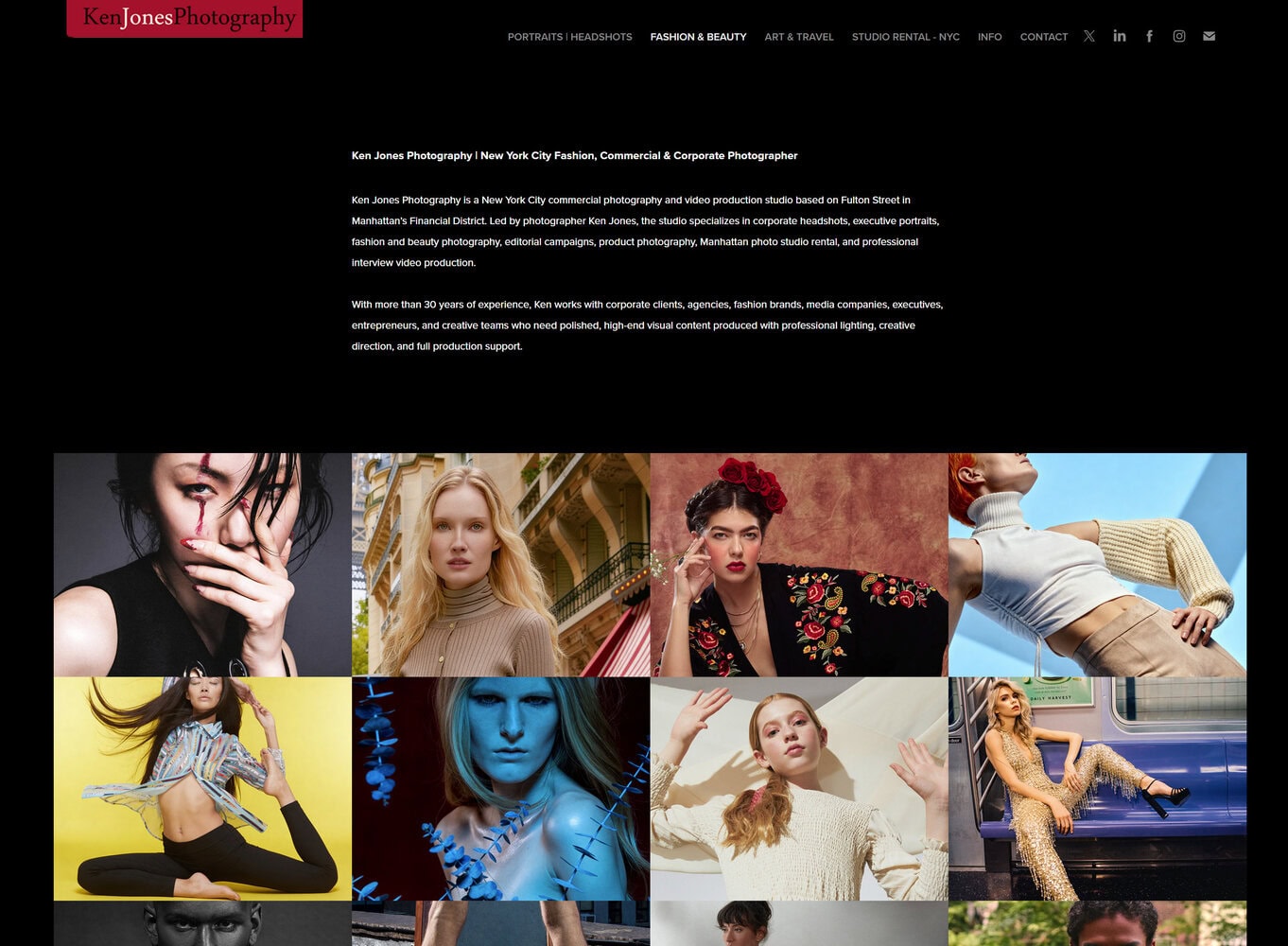
Ken Jones Photography, KenJonesNYC, handles exactly this kind of PR-facing production work from our studio in Manhattan’s Financial District: executive headshots that read as authoritative rather than stiff, product hero shots built for both e-commerce and press pickup, and full press-kit-ready deliverables with proper crops, retouching, and metadata handled before the files ever leave our hands. If your next announcement needs a portrait that will run in six different outlets without a reshoot, take a look at our studio headshot portfolio or reach out to schedule a production day built around your release timeline. For product launches, our e-commerce and product photography services are built with the same wire and editorial specs this article covers, so the images you get are ready to distribute the day they’re delivered.
Sources
For teams building their own checklists and press kit templates, a few sources are worth bookmarking directly. Cision’s journalist survey on multimedia demand gives hard numbers on what reporters say they want. PR Newswire’s 2025 State of the Media Report breaks down pickup lift from multimedia inclusion. For technical specs, JPG.now’s editor spec guide covers exact pixel and metadata requirements most wires expect. PA Media’s guidance on press release imagery is a useful editorial-side perspective on what UK and international desks look for. And for the structural side of building a release around your assets, InstantPress’s multimedia asset guide walks through the layered asset stack model referenced earlier in this article. If you want a broader look at narrative and creative choices around visuals, BabyLoveGrowth’s piece on visual storytelling tactics is a solid companion read.
- Jpg
- The Multimedia Press Release: How Photos, Charts and Embedded Video Change Pickup Rates, AI Citation Odds and Time-on-Page in 2026 — PressVerified — PressVerified
- How to Add Multimedia to a Press Release (2026) | IP
FAQ
What is the 20-60-20 rule in photography?
What are the 5 P’s of public relations?
They’re commonly listed as Publications, Events, News, Community Involvement, and Identity Media (sometimes framed differently depending on the source), representing the core tools PR teams use to shape public perception, with photography touching nearly every one of them.
What are the seven C’s of photography?
Definitions vary across sources, but a common version includes Composition, Clarity, Color, Contrast, Context, Craft, and Concept, used as a teaching framework rather than a fixed industry standard.
What is PR in photography?
PR photography is imagery created specifically to support media coverage and brand storytelling, meaning press-ready shots like executive portraits, product hero images, and event photography built to editorial specs so outlets can use them directly. Studios like Ken Jones Photography, KenJonesNYC, produce this kind of work specifically for PR firms and corporate clients managing announcements.
How does photo distribution actually improve PR results?
It increases the odds a journalist runs your story by removing the extra step of sourcing their own image, and outlets that receive properly formatted photos tend to publish faster and more often than those relying on text-only releases.