

Corporate video production is the planned process of creating video content that serves a specific business objective, whether that’s building brand awareness, training employees, converting prospects, or communicating with stakeholders. It’s not just filming someone in front of a camera. Done well, it’s a coordinated effort across strategy, scripting, crew, and post-production that produces a polished, purposeful asset your organization can use across multiple channels.
Three things every decision-maker should know before briefing a project:
- Who benefits: Marketing teams, HR departments, sales organizations, and executive communications teams all use corporate video regularly. The format scales from modest-budget internal training clips to high-end multi-location brand films.
- The three stages: Every project moves through pre-production (strategy, scripting, scheduling), production (the shoot itself), and post-production (editing, color, audio, graphics, delivery). Skipping steps in any stage is where budgets blow up.
- Realistic cost range: Individual professional videos range widely in cost depending on complexity; on average, companies allocate about 31% of their total marketing budget to video.
Table of Contents
- What is corporate video production, and which formats should you use?
- How the corporate video production process actually works, stage by stage
- What does corporate video production actually cost?
- How do you distribute corporate video and measure whether it’s working?
- Should you produce video in-house, outsource it, or use a hybrid model?
- How to choose a corporate video production vendor
- What a real production brief and shot list look like
- Key Takeaways
- What actually makes or breaks a corporate video
- Ken Jones Photography supports your corporate video production
- Useful sources
- FAQ
What is corporate video production, and which formats should you use?
According to Wyzowl, many businesses create social media videos and explainer videos, making these two formats among the most common starting points. But the right format depends entirely on your business objective, not on what’s popular.
Brand films tell the company story, typically 2–4 minutes, and live on website homepages, LinkedIn, and investor decks. Testimonial and case study videos run 60–90 seconds and work best in email nurture sequences and sales decks. Product demos range from 60 seconds to 3 minutes and perform well on landing pages and YouTube. Explainer videos, often animated, run 60–90 seconds and are built for paid social and website FAQs.
Training and onboarding videos are a different animal entirely. They can run 5–20 minutes per module and live inside a learning management system. They rarely need cinematic production values, but they do need clear audio, readable graphics, and a logical structure. Recruitment and culture videos run 60–90 seconds and target LinkedIn and career pages. Event coverage is usually repurposed into 2–3 minute highlight reels for social and internal communications.
A few format-specific notes worth keeping:
- Animation and motion graphics make sense for abstract concepts, software walkthroughs, or when you have no visual assets. They’re not a budget shortcut; quality animation often costs more than a well-planned live shoot.
- Drone footage adds genuine value for real estate, manufacturing, or campus-scale facilities. For a conference room interview, it’s overkill.
- Virtual sets work for high-volume content programs where consistency matters more than location variety.
How the corporate video production process actually works, stage by stage
Stage 1: Pre-production
Pre-production is where the project either gets set up for success or quietly starts failing. Locking five things before a shoot — audience, core message, primary CTA, distribution channels, and approval owner — is the single most effective way to control cost and reduce revision cycles.
The pre-production checklist includes:
- Strategy brief and creative concept
- Script and/or interview question guide
- Storyboard or shot list
- Location scouting and permits (critical in NYC)
- Casting and talent agreements
- Crew scheduling and call sheet
- Equipment and lighting plan
- Technical recce (on-site walkthrough before shoot day)
Deliverables to insist on: approved script, storyboard or shot list, signed talent releases, location permits, and a confirmed call sheet.
Stage 2: Production

Shoot day is the most visible part of the process, but it should be the least surprising if pre-production was done right. Core roles include a director or director of photography, camera operator, sound recordist, gaffer (lighting), and a producer managing logistics. On smaller shoots, some of these roles overlap.
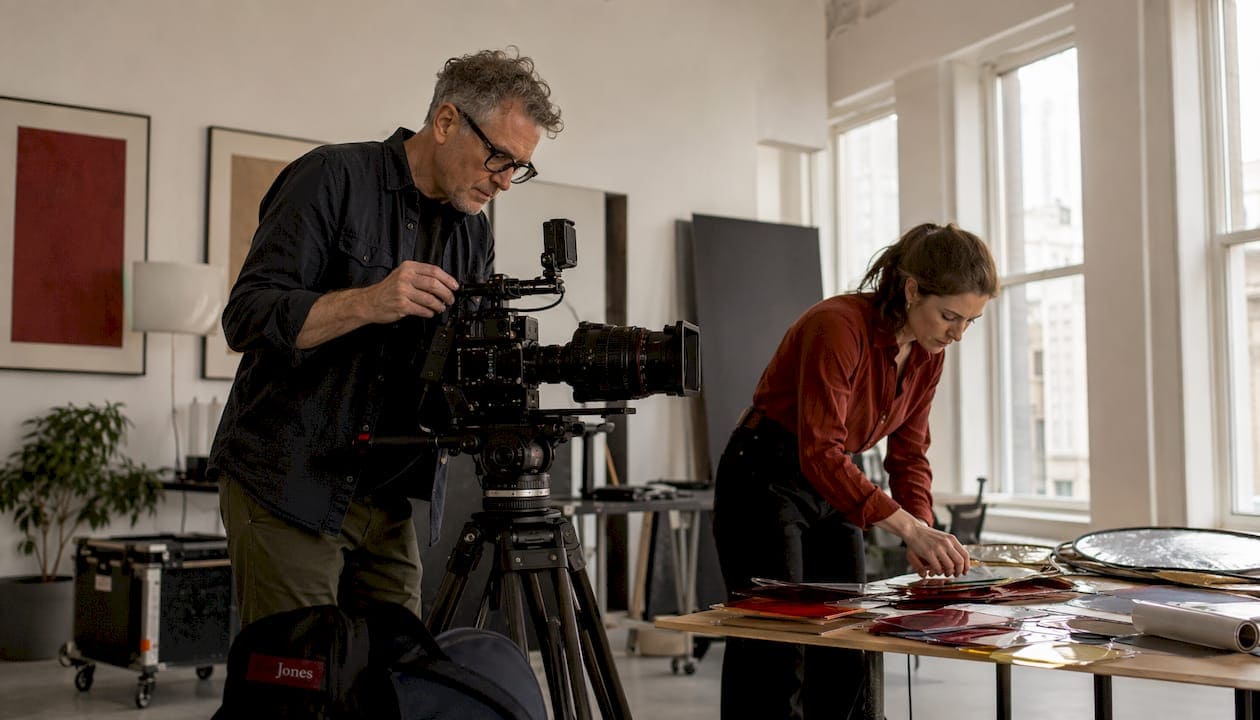
Deliverables: raw camera files (backed up to at least two drives on set), sound files, B-roll selects, and a shot log.
Stage 3: Post-production
Post-production covers editing, audio mixing, color grading, motion graphics, lower thirds, music licensing, captioning, and export in the required specs. Modern production workflows increasingly treat localization and alternate-language versions as part of the same cycle, not an afterthought. AI tools are compressing the gap between script approval and first-cut delivery, which matters when you’re managing multiple versions.

Deliverables to require in your contract: edit master (ProRes or DNxHD), H.264 web export, caption file (.SRT), aspect-ratio versions (16:9, 1:1, 9:16), and a clear statement of usage rights.
Timeline estimates by complexity:
- Simple talking-head or screen-recorded internal video: 1–2 weeks
- Scripted testimonial or product demo: 2–4 weeks
- Mid-weight brand film with one or two locations: 4–8 weeks
- Multi-location or high-end commercial production: 8+ weeks
What does corporate video production actually cost?
Nearly 40% of companies spent under $5,000 producing videos last year, while just over 30% spent more than $5,000. Those numbers reflect a wide range of project types, from quick internal recordings to polished brand films.
| Project Type | Typical Cost Range | Typical Timeline |
|---|---|---|
| Internal training / screen recording | $1,000–$3,000 | 1–2 weeks |
| Customer testimonial | $3,000–$8,000 | 2–4 weeks |
| Product demo (live action) | $5,000–$15,000 | 3–6 weeks |
| Mid-weight brand film | $10,000–$30,000 | 4–8 weeks |
| High-end commercial / multi-location | $30,000 and up | 8–16 weeks |
The primary cost drivers are crew size, on-screen talent, location fees and permits, equipment rental, post-production complexity, motion graphics, and music licensing. Animation adds cost at every tier; a 60-second quality explainer animation typically runs $5,000–$15,000 on its own.
Negotiation levers worth knowing:
- Consolidate shoot days (combine photo and video on the same day to share crew and location costs)
- Limit the number of contracted revision rounds (two rounds is standard; open-ended revisions inflate post-production budgets)
- Specify deliverable formats upfront so you’re not paying for extras later
- Reuse B-roll and interview footage across multiple cuts
Most marketers plan to maintain or increase spending on video, indicating that budgets for this category are well-protected in marketing.
How do you distribute corporate video and measure whether it’s working?
Distribution without a measurement plan is just publishing. Before a project goes into production, decide which KPIs map to the business objective.
Awareness: views, unique viewers, view-through rate, and reach on paid social.
Engagement: average watch time, completion rate, and replays. A 60-second video with a 70% completion rate is performing well. The same video with a 20% completion rate has a structural problem, usually in the first 10 seconds.
Lead generation: click-through rate from video to landing page, form fills, and marketing-qualified leads attributed to video touchpoints.
Sales impact: pipeline influence (deals where video was viewed during the sales cycle), demo requests, and time-to-close comparisons.
Internal metrics: training completion rates, quiz scores post-video, and time-to-productivity for onboarding programs.
ROI measurement is shifting away from raw view counts toward direct lead attribution, website dwell time, and sales-pipeline impact. A video that generates 500 views but influences three enterprise deals is worth more than one with 50,000 views and no downstream conversion.
Distribution checklist:
- Owned: website (hero, product pages, blog), email campaigns, LMS for training content
- Earned: PR placements, partner co-marketing, press kits
- Paid: LinkedIn video ads, YouTube pre-roll, programmatic display
- Organic social: LinkedIn, Instagram Reels, YouTube Shorts (repurpose from the master cut)
Should you produce video in-house, outsource it, or use a hybrid model?
By 2026, 59% of businesses create video primarily in-house, 32% use a hybrid model, and 10% rely only on external vendors. The hybrid model is growing for a reason: it matches production complexity to the right resource.
Keep in-house when the content is high-volume, short-form, or repeatable: screen recordings, quick social clips, internal announcements, and interview snippets shot on a good mirrorless camera with a decent microphone. These don’t require a director or a gaffer.
Hire a studio when the project involves multi-location logistics, complex sound environments, director-level creative, strict brand standards, or any situation where a bad result has real brand consequences. A poorly lit executive interview on your company’s homepage costs more in credibility than the production savings were worth.
The hybrid model that works best: keep volume and repurposing in-house, partner with specialists for high-stakes brand films, product demos, or logistics-heavy shoots.
Pro Tip: AI tools like Descript, Runway, and Adobe Premiere’s AI features can handle transcript-based editing, background cleanup, and basic versioning for low-complexity content. Use them to scale your in-house output without pulling a full crew for every social clip. Reserve the crew for the work that actually needs them.
How to choose a corporate video production vendor
The vendor checklist
Before signing anything, verify:
- Portfolio relevance: does their work match your industry, tone, and production level?
- Technical specs: what cameras, lighting systems, and audio gear do they use?
- Crew bios: who specifically will be on your shoot?
- Insurance: general liability and errors & omissions coverage
- References: at least two clients from comparable projects
- Revision policy: how many rounds are included, and what’s the process?
- Turnaround: what’s the realistic timeline from shoot day to final delivery?
Essential questions to ask
- Who owns the raw footage after delivery?
- What file formats are included in the base price?
- How do you handle approval and feedback rounds?
- What’s your backup and data safety procedure on set?
- If something goes wrong on shoot day, what’s the escalation path?
Red flags
- Vague deliverables with no format specifications
- No itemized cost breakdown
- Ambiguous usage rights language (“all rights” or “client owns everything” without specifying what’s actually delivered)
- Limited post-production samples in the portfolio
- No clear approval workflow or defined revision rounds
Minimal deliverables template
Require these in writing before any project starts:
- Edit master (ProRes 422 or DNxHD, 1920×1080 minimum)
- H.264 web export (optimized for YouTube and Vimeo)
- Aspect-ratio versions: 16:9, 1:1, 9:16
- Caption file (.SRT)
- Music license documentation
- Signed talent and location releases
What a real production brief and shot list look like
Sample brief
Project: Executive brand film for website homepage. Audience: B2B prospects evaluating enterprise software vendors. Primary CTA: Book a demo. Success metrics: 60%+ completion rate, 5%+ click-through to demo page. Deliverables: 90-second hero cut, 30-second social cut, 15-second paid social version, captions in English.
Sample shot list
| Scene | Shot Type | Duration | Talent | Lighting Notes |
|---|---|---|---|---|
| Opening: office lobby | Wide establishing | 8 sec | None | Natural light + bounce |
| CEO interview | Medium close-up | 60–90 seconds | CEO | 3-point: key, fill, hair |
| Team collaboration | B-roll, handheld | 15 sec | 3 staff | Practical + LED panel |
| Product screen | Insert / screen capture | 10 sec | None | Monitor brightness matched |
| Closing: exterior | Wide, locked off | 8 sec | None | Golden hour |
Common client mistakes and how to fix them
- Overpacked scripts: a 90-second video cannot carry 400 words of narration. Cut to 130–150 words and let the visuals carry the rest.
- Late approvals: every approval delay pushes the delivery date. Assign one internal approval owner before production starts, not after.
- Underbudgeted pick-up days: if you miss a shot on shoot day, a pick-up day costs nearly as much as the original day. Shoot the shot list completely the first time.
Pro Tip: Assign a single internal approval owner before the project kicks off. Approval-by-committee is the most common reason corporate video projects run over schedule and over budget. One person, one final call.
A shoot Ken Jones Photography ran at a Financial District office building illustrates this well. The client arrived on shoot day with three new executives who hadn’t been briefed, each wanting to add interview segments. The shot list was already tight for the available light window. The result: two of the three new segments were unusable because the light had shifted by the time we got to them, and the client paid for a half-day pick-up to recover the footage. A pre-production call with all stakeholders would have cost 30 minutes. The pick-up cost half a day’s rate.
Key Takeaways
Corporate video production delivers measurable business results only when strategy, production, and distribution are planned as a single connected workflow, not three separate tasks.
| Point | Details |
|---|---|
| Lock five things before production | Audience, message, CTA, distribution channel, and approval owner must be confirmed before a camera is turned on. |
| Match format to objective | Social clips, testimonials, brand films, and training videos each have distinct runtimes, budgets, and distribution channels. |
| Budget realistically | Nearly 40% of companies spend under $5,000 per video, while just over 30% spend more than $5,000; complex brand films run $10,000–$30,000 or more. |
| Measure beyond view counts | Track completion rates, click-throughs, and pipeline influence, not just raw views. |
| Ken Jones Photography | Offers corporate interview video production and full-service production support from a Manhattan studio for clients who need polished, usable results. |
What actually makes or breaks a corporate video
The conventional wisdom says production quality is the deciding factor. After 30 years of shoots in New York City, the honest answer is that pre-production decisions determine outcomes far more than camera gear or edit software.
The projects that consistently deliver results share one thing: someone on the client side made clear decisions before the shoot started. They knew the audience, the single message, the CTA, and who had final approval. The projects that struggle almost always trace back to a brief that was vague, an approval chain that was undefined, or a script that tried to say everything at once.
NYC shoots add their own layer of complexity. Permits, building access, elevator logistics, noise from street traffic, and the unpredictability of natural light in Manhattan corridors all require contingency planning that out-of-market crews sometimes underestimate. Working with a studio that knows the city’s production realities, from Lower Manhattan office buildings to rooftop locations in Midtown, saves time and avoids the kind of surprises that eat into your shoot day.
The other thing worth saying plainly: a polished 90-second video that serves one clear purpose will outperform a 5-minute video that tries to cover everything. Shorter, focused content with a defined CTA consistently outperforms longer, unfocused work, regardless of production budget.
Ken Jones Photography supports your corporate video production
Ken Jones Photography is a Manhattan-based studio offering corporate interview video production, studio rental, and combined photo and video production days for clients who need polished, channel-ready content without coordinating multiple vendors.

The studio handles creative direction, lighting, sound, on-set production management, and post-production delivery, including captioned exports and aspect-ratio versions for web, social, and internal use. For clients who need both photography and video from a single production day, the combined photo and video approach covers both deliverables efficiently without doubling the crew or the budget.
If you’re planning a corporate video project and want to see the studio’s work before reaching out, the video production portfolio is a good starting point. To discuss a project or request pricing, visit kenjonesnyc.com.
Useful sources
These are the primary sources referenced throughout this article. Each is worth bookmarking for ongoing benchmarking.
- Wyzowl Video Marketing Statistics: annual survey data on video types, adoption rates, and ROI measurement trends.
- Wistia State of Video Report: budget distribution data and hybrid model adoption patterns.
- Pixel8 Production B2B Video Marketing Statistics: in-house vs. outsourced breakdowns, cost ranges, and AI adoption metrics.
- LunaBloom AI Corporate Video Production Guide: workflow trends, pre-production frameworks, and localization practices.
FAQ
What is corporate video production in simple terms?
Corporate video production is the process of planning, filming, and editing video content for a specific business purpose, such as marketing, training, sales, or internal communications. It covers everything from the initial brief through final delivery of channel-ready files.
How long does it take to produce a corporate video?
A simple talking-head or testimonial video typically takes 2–4 weeks from brief to delivery. A scripted brand film with multiple locations usually requires 4–8 weeks, and high-end commercial productions can run 8–16 weeks depending on complexity and approval cycles.
How much does corporate video production cost?
Costs range from roughly $1,000 for a basic internal video to $20,000 or more for a polished brand film. Nearly 40% of companies spend under $5,000 per video, while multi-location or high-end commercial productions can exceed $30,000.
Should we produce video in-house or hire a studio?
A hybrid model works best for most organizations. By 2026, 59% of businesses create video primarily in-house, 32% use a hybrid model, and 10% rely only on external vendors. Typically, companies keep high-volume, short-form content in-house and hire a studio for high-stakes brand films, product demos, or any project where production quality directly affects brand perception.
What deliverables should I require from a video production vendor?
At minimum, require an edit master in ProRes or DNxHD, an H.264 web export, aspect-ratio versions (16:9, 1:1, 9:16), a caption file (.SRT), music license documentation, and signed talent and location releases.